


Audience: Securonix Customers and Partners
Product Module: Device Monitoring / Activity Monitor
Tags: Device Monitoring, Collector Health, Ingestion Health, Silent Devices, Activity Monitor, Data Sources
Overview
A device that stops sending telemetry can create a security visibility gap. Securonix Device Monitoring helps identify devices that have gone silent, while Activity Monitor helps determine whether the issue is limited to one device, a datasource, or a broader ingestion path.
This guide helps you scope the impact, distinguish device-level issues from potential collector or ingester health issues, and gather the right evidence for remediation or Support.
When to use this guide
Use this guide when:
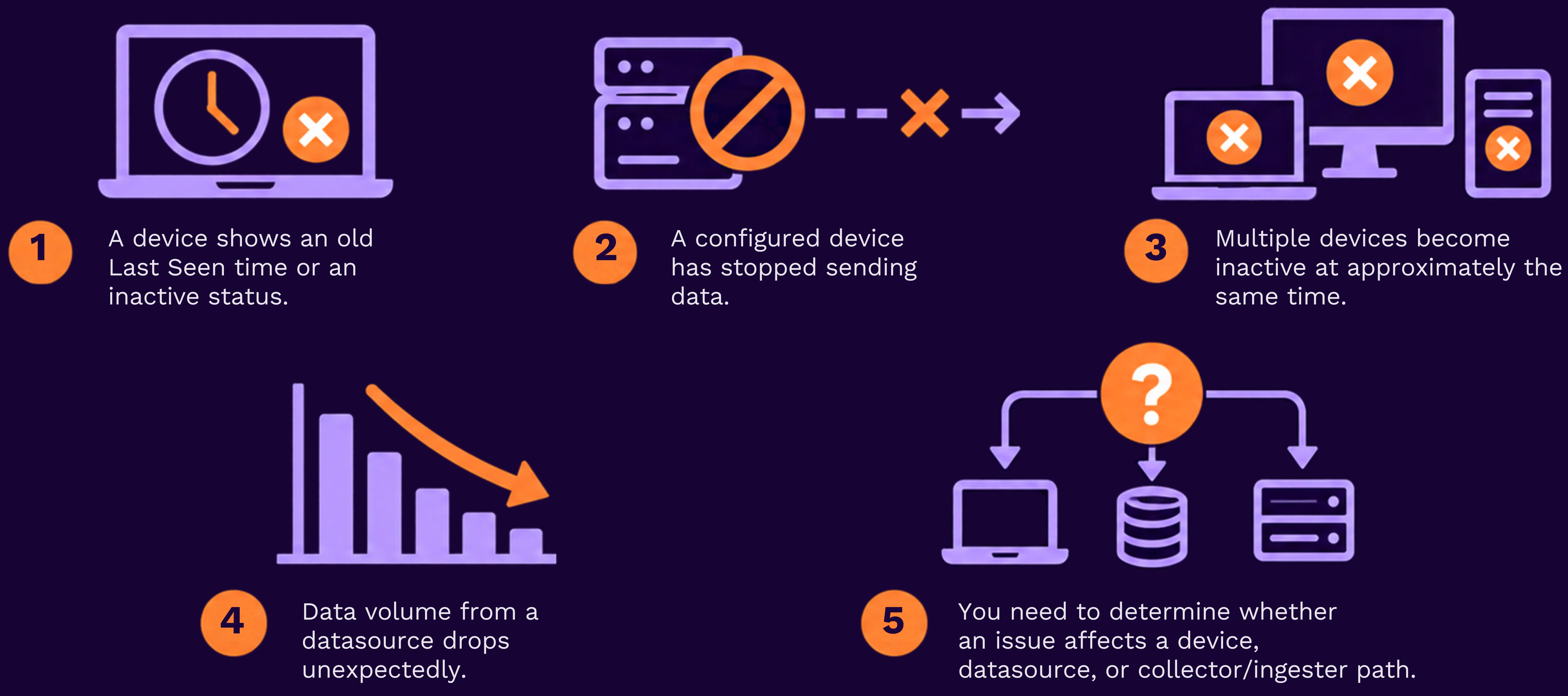
Quick diagnosis: determine the blast radius
- Navigate to Menu → Views → Devices.
- Locate the affected device and record its Last Seen time, status, datasource, and tenant, if applicable.
- Identify whether other devices from the same datasource have also gone silent.
- Navigate to Menu → Operations Center → Activity Monitor.
- Filter Activity Monitor to the affected datasource and the time period around the device’s last-seen time.
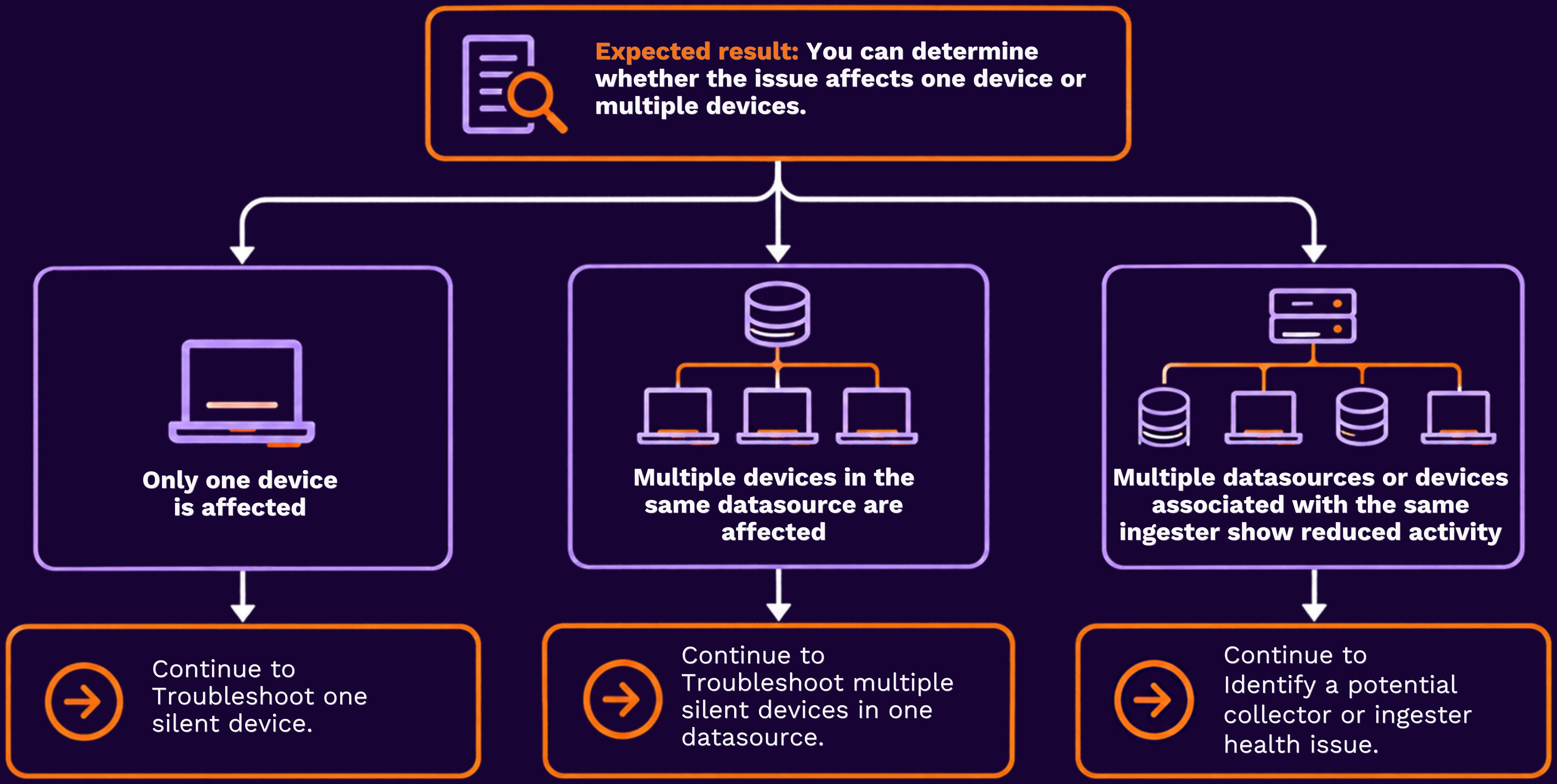
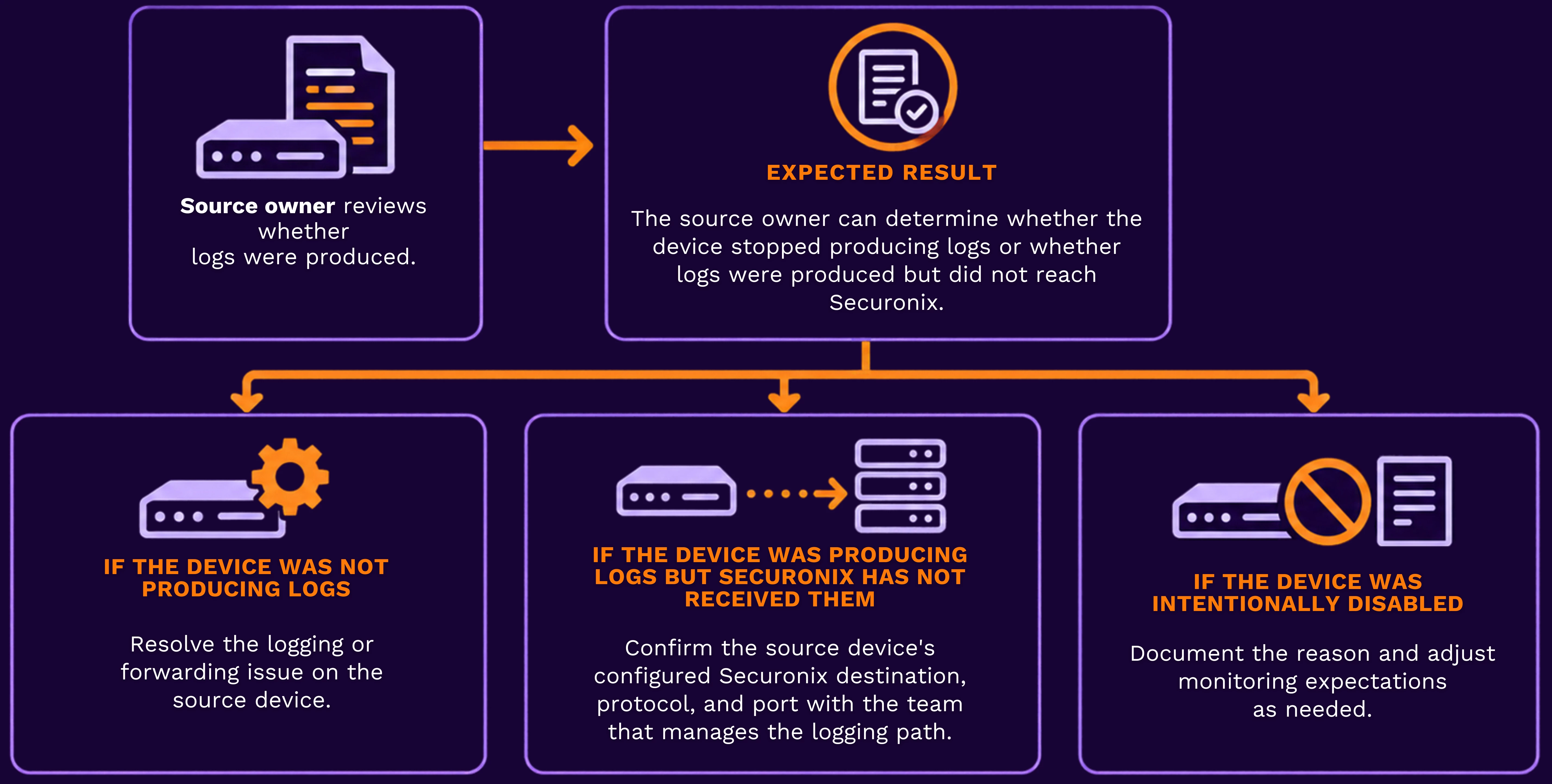
Troubleshoot one silent device
- In Menu → Views → Devices, open the affected device record.
- Confirm that the device is not intentionally disabled in Device Monitoring.
- Record the datasource, device identifier, and Last Seen time.
- Ask the device or source-system owner to confirm whether the device was generating and forwarding logs at that time.
- Compare the source owner’s evidence with the device’s Last Seen value in Securonix.
Troubleshoot multiple silent devices in one datasource
- In Menu → Views → Devices, identify the affected devices and record their Last Seen times.
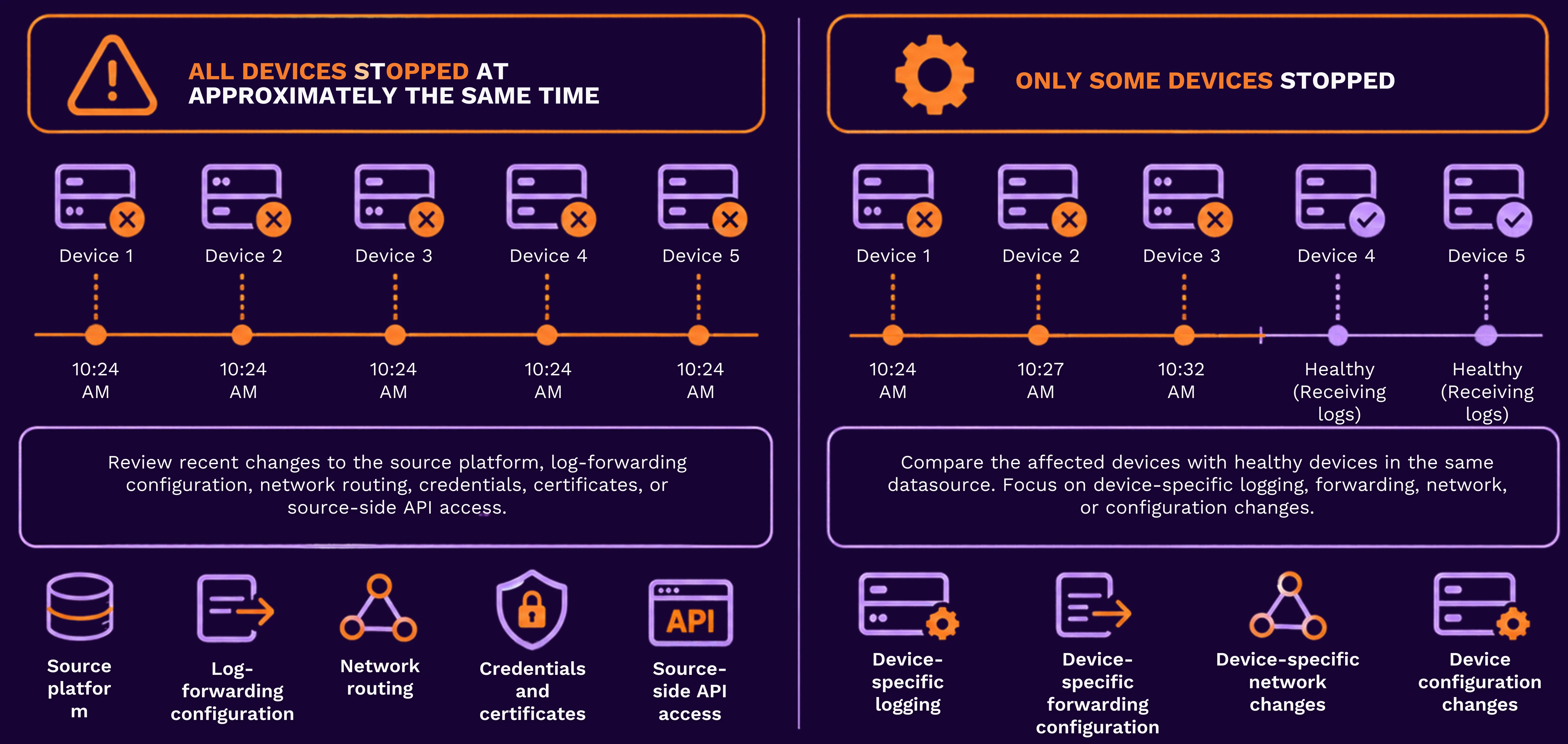
- Compare the timestamps to determine whether the devices stopped reporting at approximately the same time.
- In Activity Monitor, filter to the datasource and review its activity before and after the earliest Last Seen time.
- Determine whether the datasource shows a complete interruption, a gradual decline, or activity from only some devices.
Identify a potential collector or ingester health issue
A collector or ingester health issue is more likely when multiple unrelated devices or datasources show reduced activity during the same period.
- In Activity Monitor, set the time range to include the first affected device’s Last Seen time.
- Filter by the relevant ingester, if that information is available in your environment.
- Compare activity across the affected datasource and other datasources associated with the same ingester.
- Record whether activity stopped completely, dropped sharply, or remains healthy for other datasources.
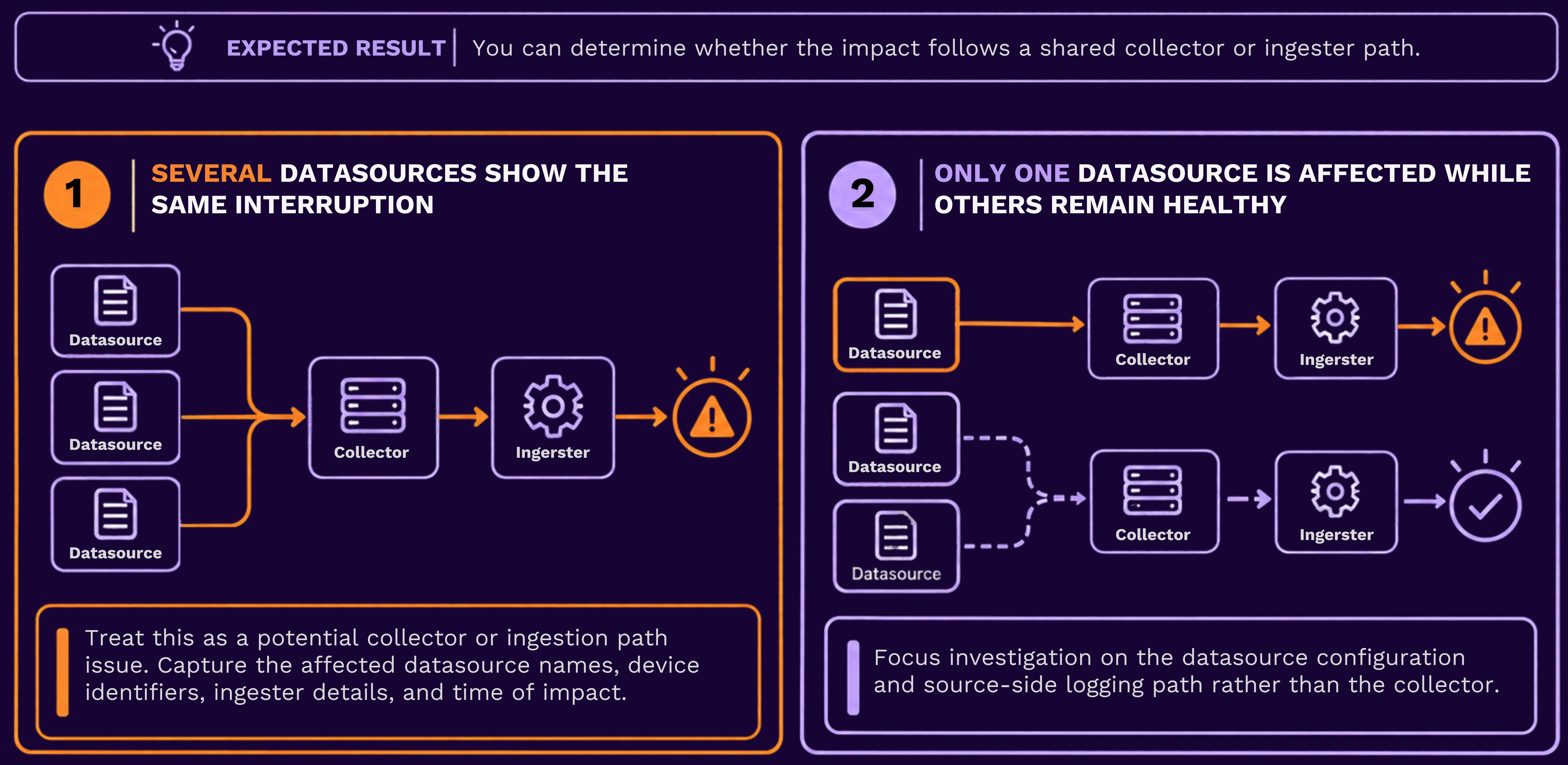
Do not restart collector services or alter ingestion configuration solely from the Devices dashboard. Follow your organization’s approved operational procedure or engage Securonix Support when a collector-level issue is suspected.
Configure proactive silent-device notifications
- In Menu → Views → Devices, open the device’s available action or configuration control.
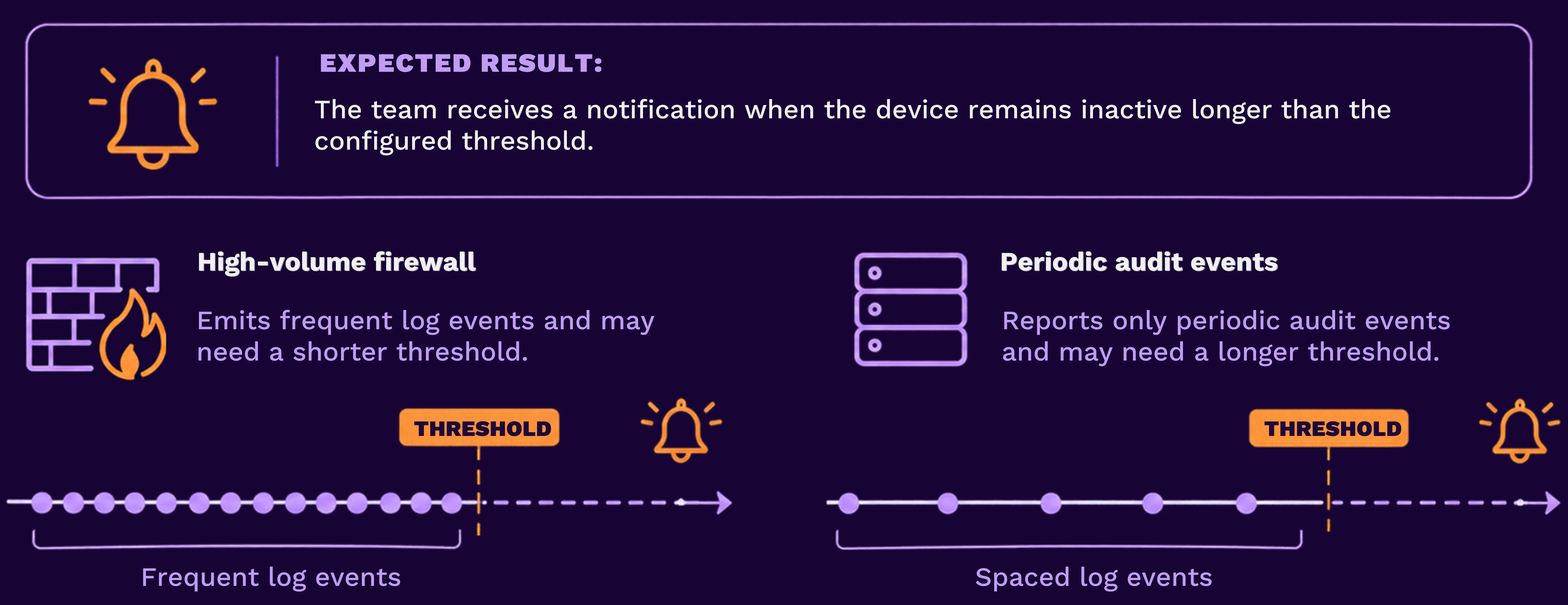
- Configure a notification for the period after which the device should be considered inactive.
- Select the approved notification destination available in your environment, such as an incident alert or email.
- Save the configuration.
- Confirm that the device displays the expected monitoring or notification status.
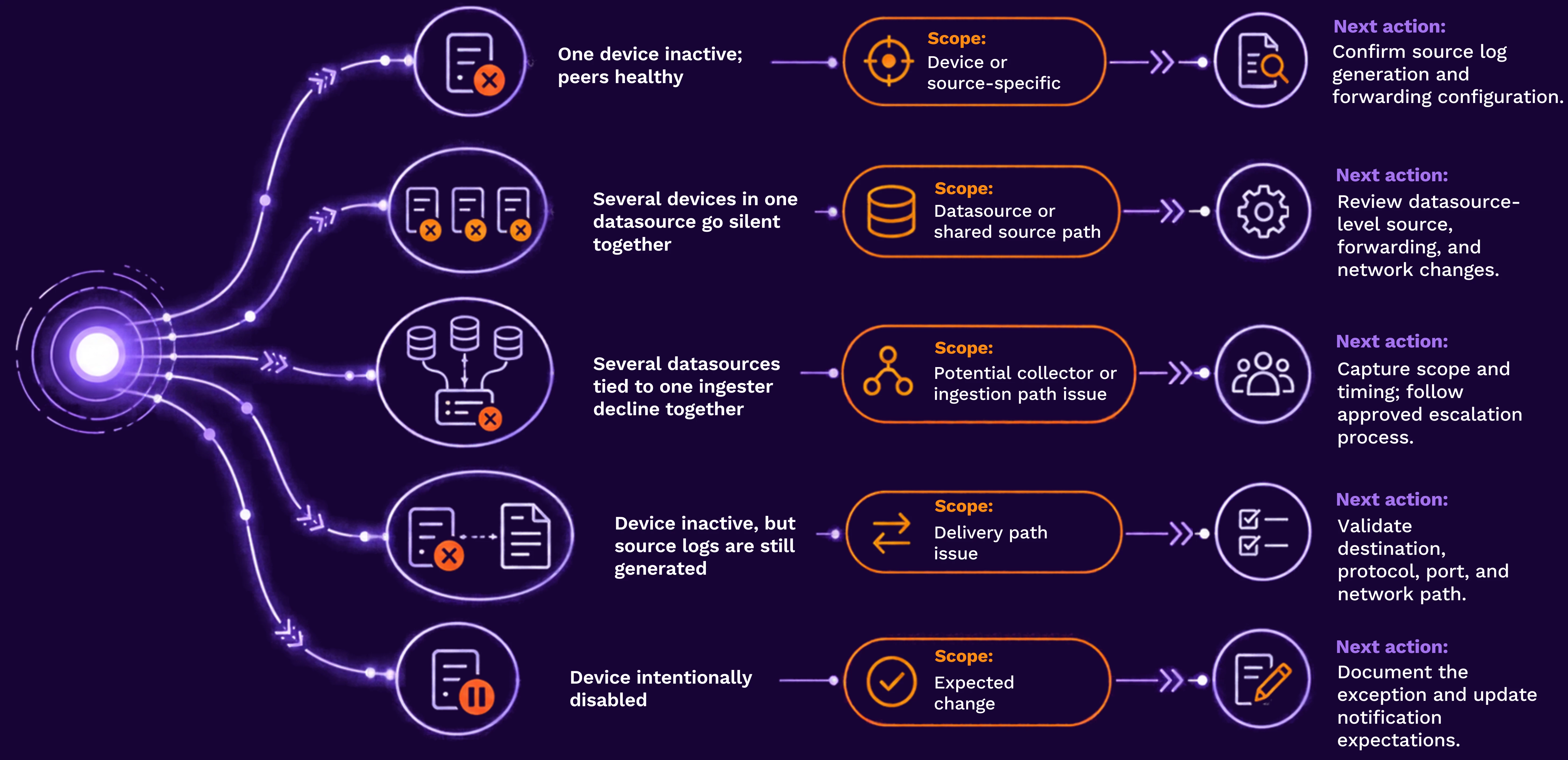
Common patterns and next actions
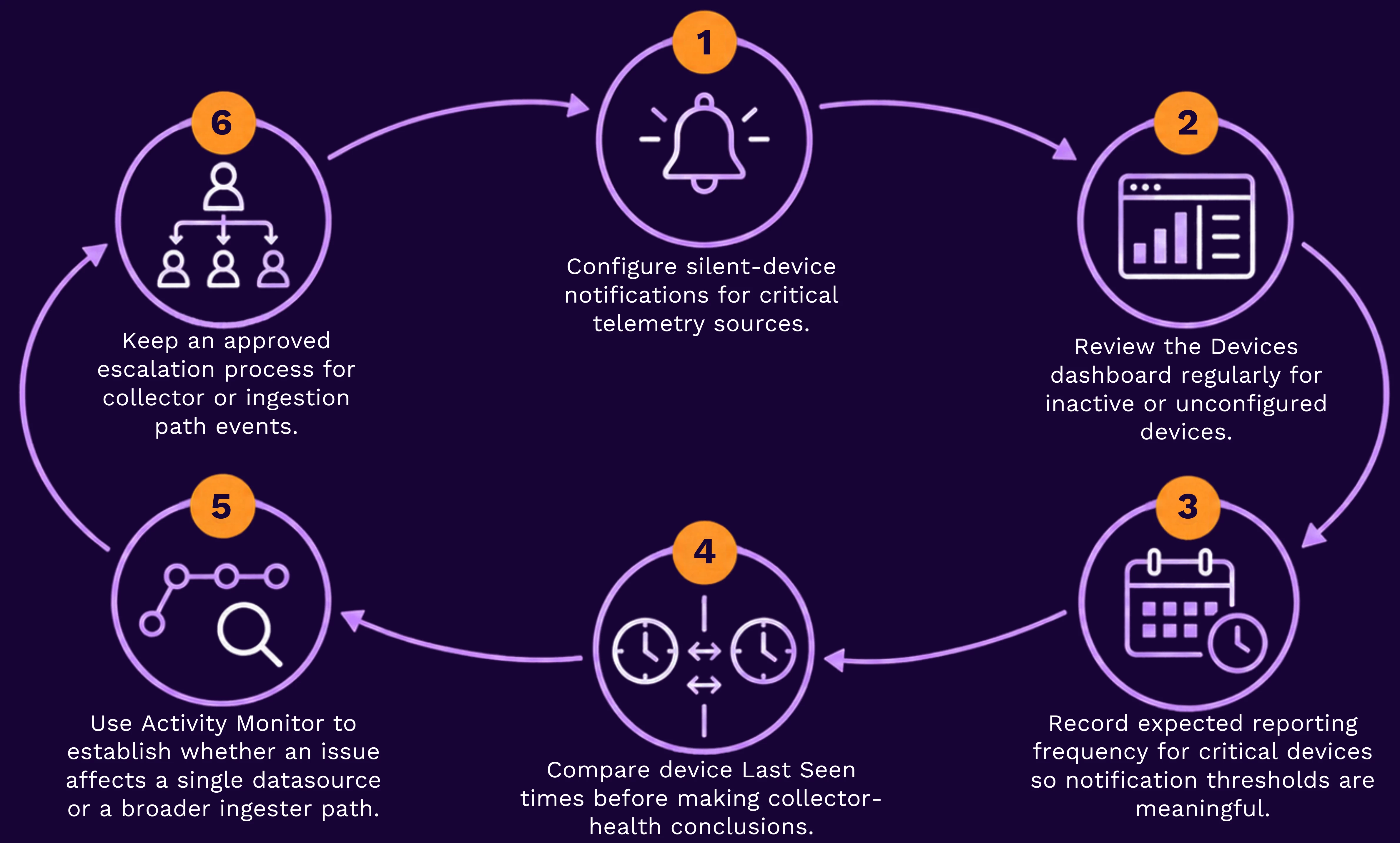
Best practices
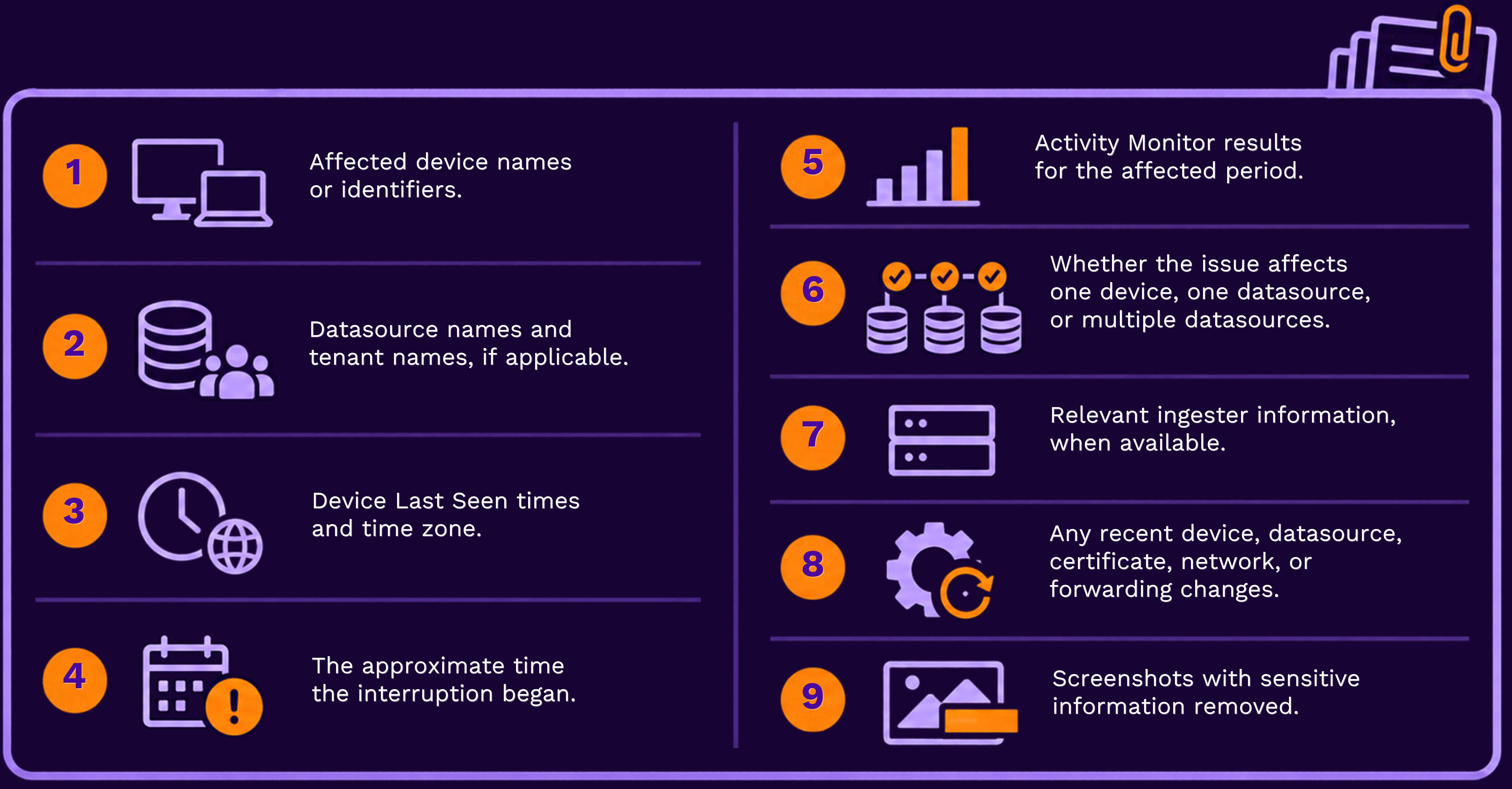
Before opening a Support ticket
Include:
Related resources 
Have you found a useful way to set device-silence thresholds for critical telemetry? Share your approach in the Community—your experience may help another team improve its coverage.
If several datasources are affected, a collector or ingestion-path issue is suspected, or the problem persists after source-side checks, open a Securonix Support ticket so the team can investigate with you.