Audience: Analysts, Administrators, MSSPs
Product Module: Securonix Connect
Last Updated: May 19, 2026
KB ID: KB-20260519-ask-ai-connect
Tags: Ask AI, AI Assistant, Connect, Knowledge Base, Community, Documentation, Troubleshooting, Self-Service, Product Guidance
Problem
Finding the right documentation, troubleshooting steps, or product guidance can take time, especially when you are not sure where to begin.
Objective
Learn how Securonix Customers and Partners use Ask AI in Securonix Connect to quickly discover relevant Securonix knowledge, documentation, and community resources.
What Is Ask AI?
Ask AI is a built-in assistant within Securonix Connect that helps surface relevant Securonix content from across the platform.
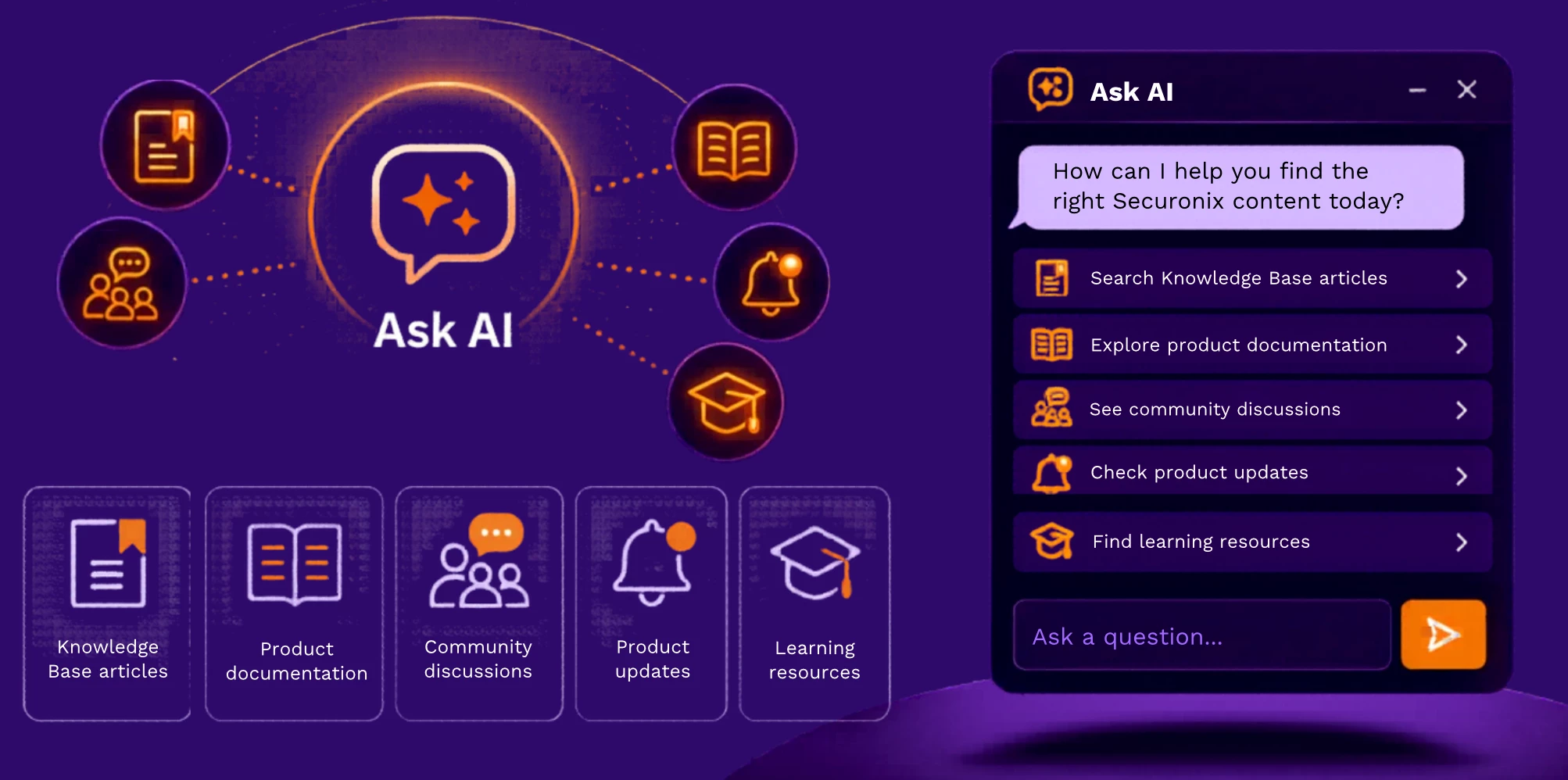
Ask AI is best understood as a discovery and self-service tool. It helps you get to the right information faster rather than replacing Support for every issue.
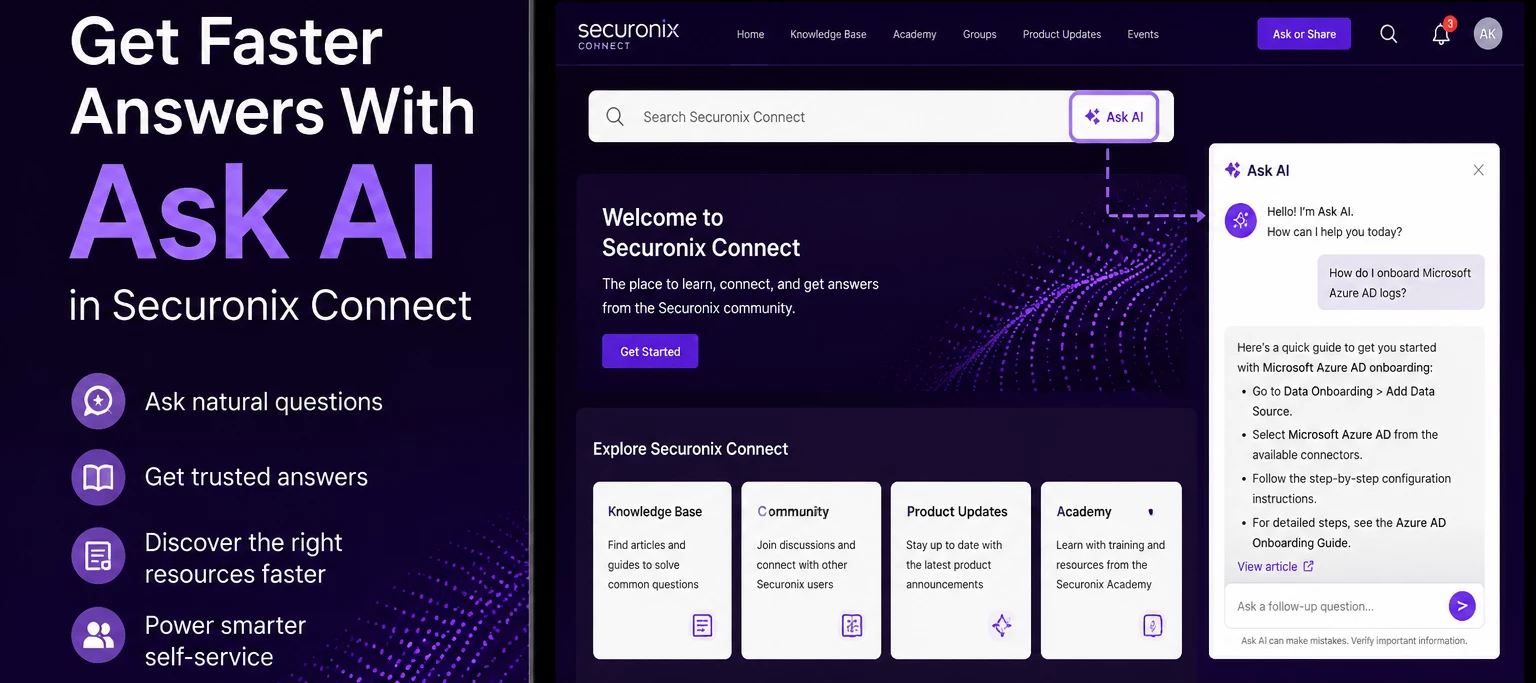
Where To Find Ask AI
- Open Securonix Connect
- Locate the Search Securonix Connect search bar
- Select Ask AI
- Enter your question in natural language
Ask AI opens directly within Securonix Connect and searches across available Securonix knowledge resources.
What Ask AI Is Most Helpful For
Customers most often use Ask AI for practical product-help scenarios such as:
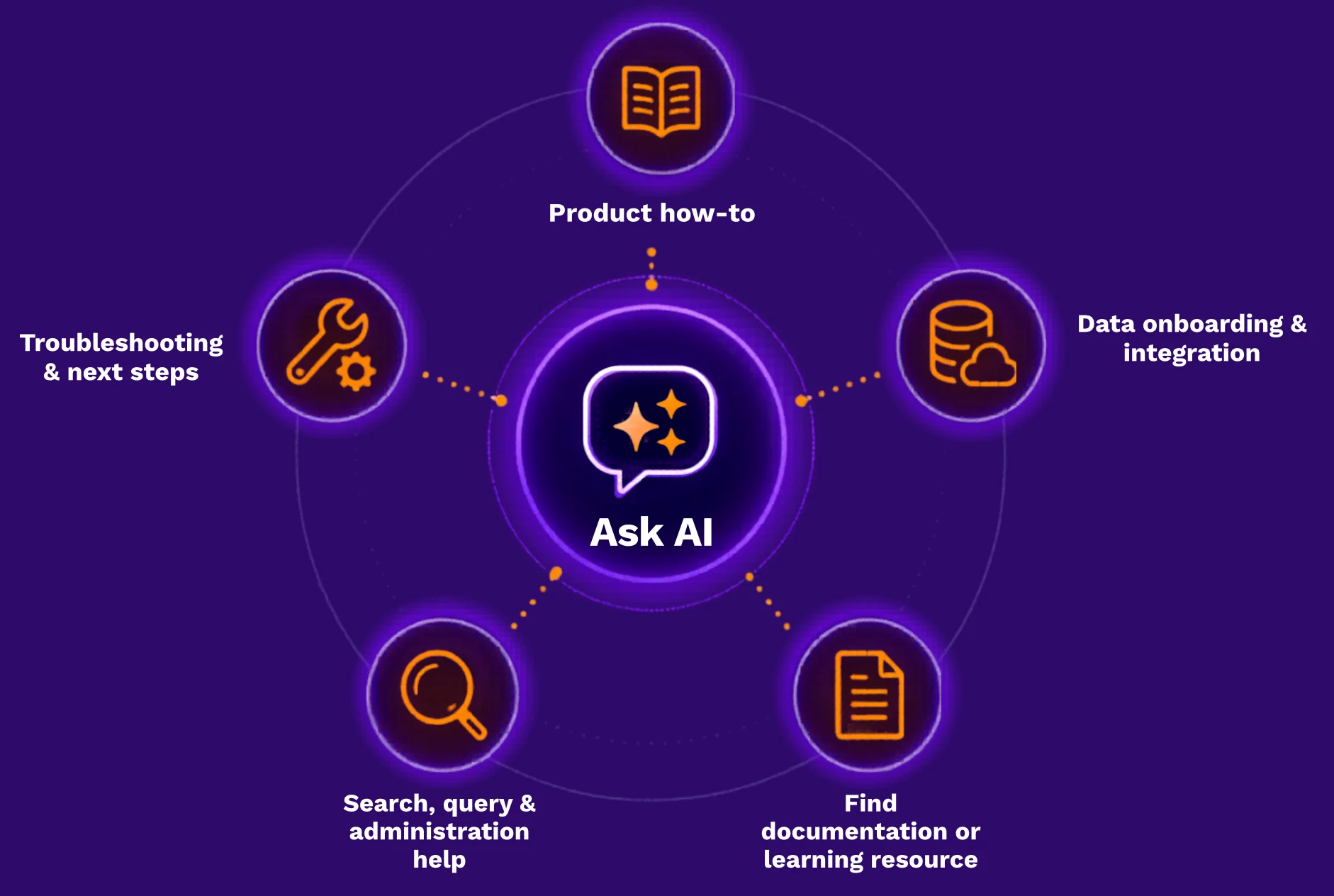
If you are trying to do something, understand something, or find the right guide, Ask AI is a good place to start.
Example Questions
Here are examples of the kinds of questions Ask AI can help with:
- How do I get started with Spotter for investigations?
- Where can I find the setup guide for Microsoft Azure AD onboarding?
- What should I check if Palo Alto or firewall data is not coming in as expected?
- How do I troubleshoot a Spotter query or search issue?
- Where can I find the guide for Hub Agent or RIN setup and upgrades?
- Which training should I start with for UDS, data onboarding, or ThreatQ?
These examples reflect common product-help questions customers ask every day.
What Ask AI Searches
Ask AI helps surface content from multiple areas within Securonix Connect, including:
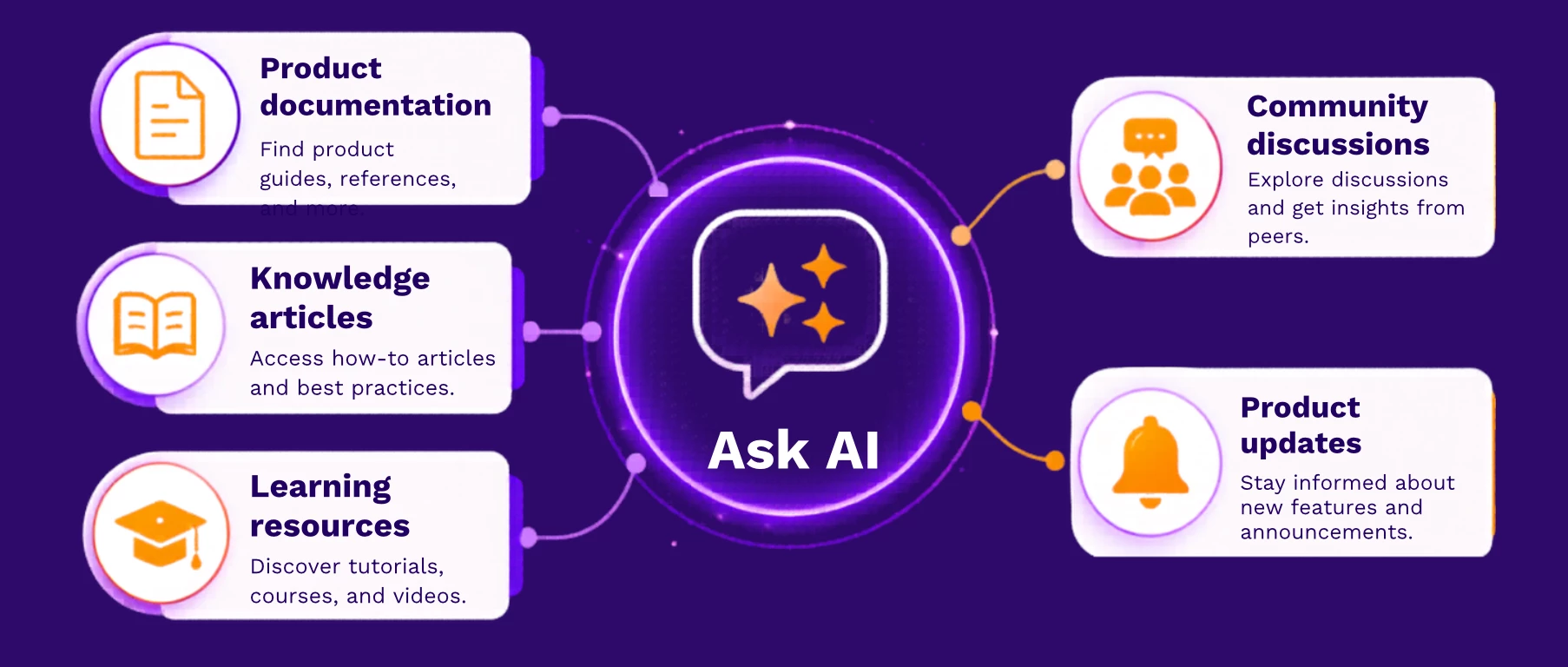
Responses are designed to point you toward existing Securonix content and useful next steps.
What To Expect
Ask AI is designed to help you get to relevant guidance faster.
When using Ask AI, you can expect:
- Faster access to product guidance and documentation
- Help narrowing down what to check next
- Links to relevant Securonix resources when available
- Responses in the language used when asking your question
Linked documentation or source material may still appear in its original language, but Ask AI can still help guide you toward the right content and next step.
How To Use Ask AI Effectively
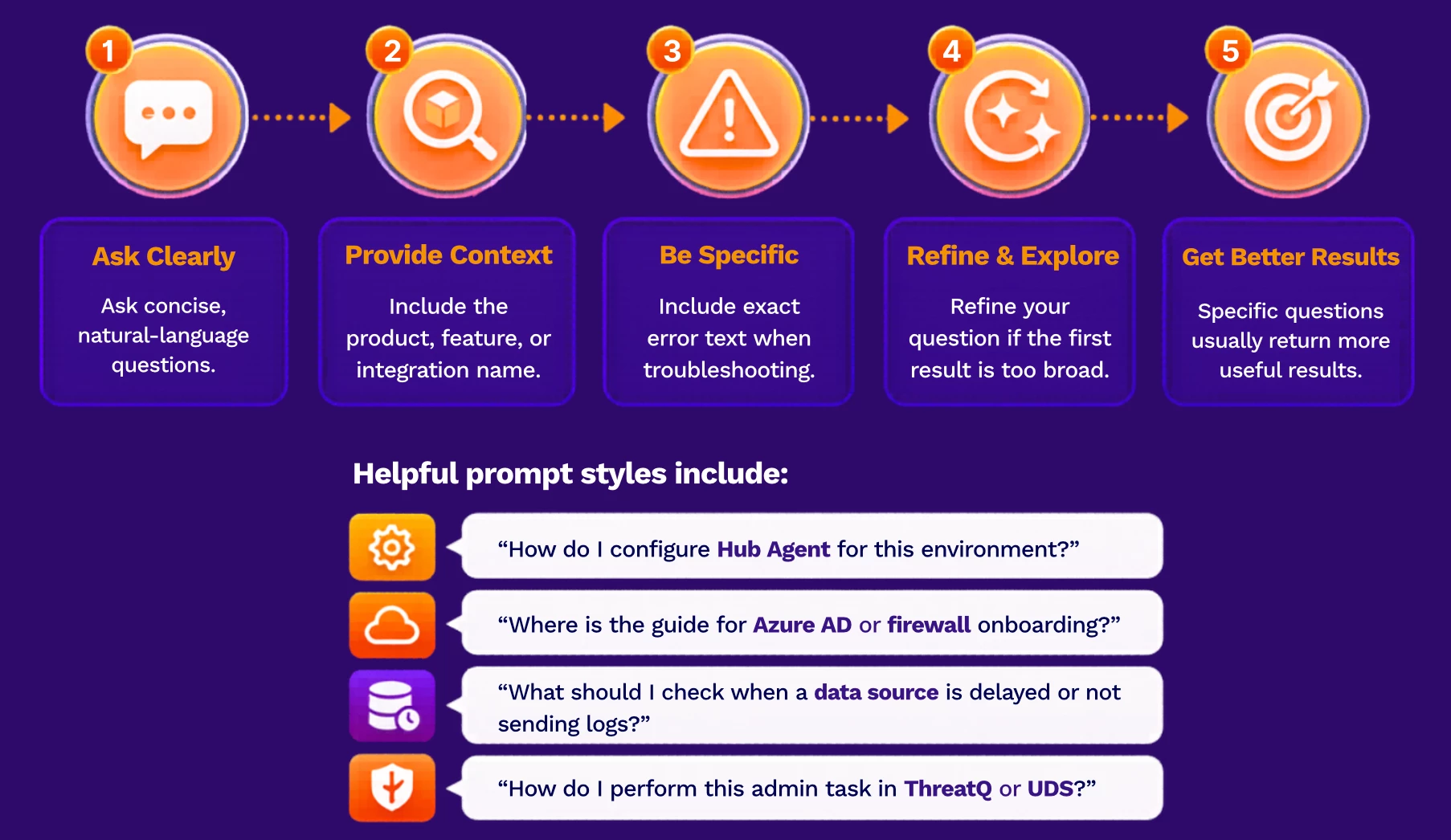
Specific questions usually return more useful results than broad questions.
Recommended Workflow
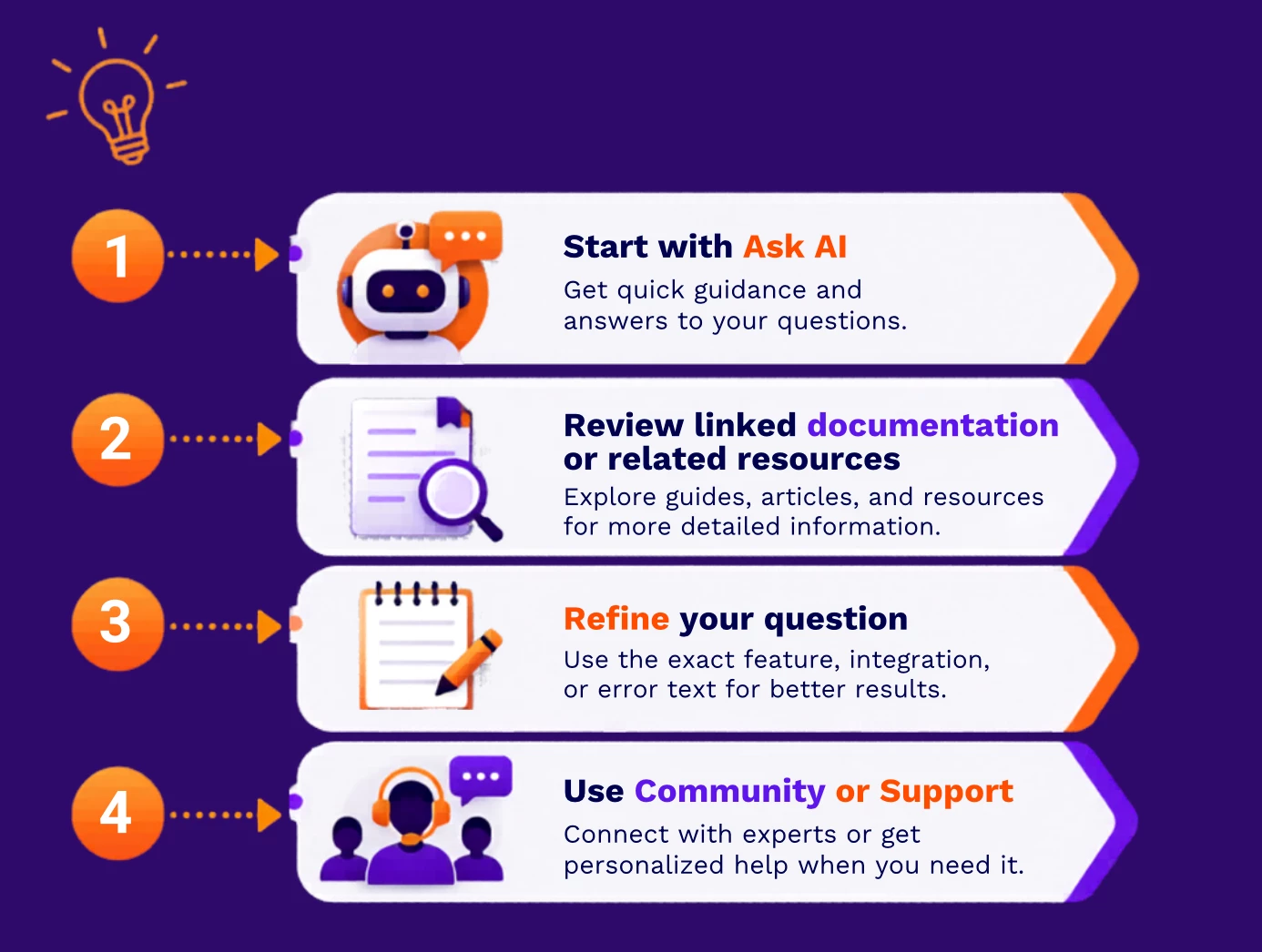
This workflow helps improve self-service and reduces time spent searching across multiple areas.
When To Open A Support Case
Ask AI is designed to help with discovery, guidance, and common product questions.
You may still need to open a Support case if your issue:
- Is tenant-specific
- Requires live investigation
- Depends on your environment or configuration
- Requires backend analysis
- Needs escalation or engineering review
Even in these situations, Ask AI can still help you identify useful documentation and clarify your next troubleshooting step before engaging Support.
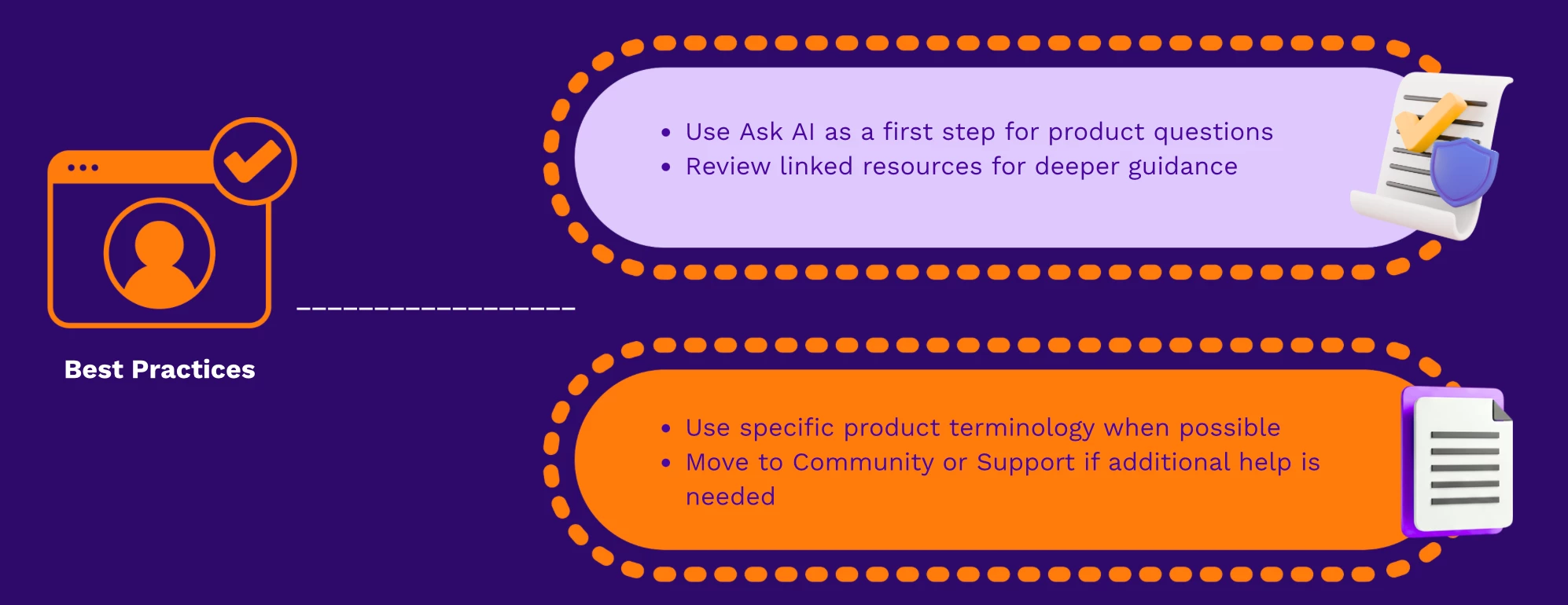
Best Practices
Verification Checklist
Use this checklist to confirm successful usage:
- You can access Ask AI from the Connect search area
- The assistant returns relevant Securonix content
- Results include links to documentation or related resources
- You can refine your question to improve relevance
- You know when to continue with Community or Support
Call To Action