

Audience: Administrators, Analysts, MSSPs
Product Module: ThreatQ Marketplace
Last Updated: June 10, 2026
KB ID: KB-20260610-threatq-marketplace-access
Tags: ThreatQ Marketplace, ThreatQ Integrations, Threat Intelligence, ThreatQ Apps, Custom Data Feeds, ThreatQ Operations, ThreatQ Connectors, ThreatQ Orchestrate, Marketplace Downloads
Problem
ThreatQ customers need access to the ThreatQ Marketplace to discover, download, and maintain integrations that extend ThreatQ functionality and connect ThreatQ with external intelligence sources, security products, and automation platforms.
Objective
Learn how to access the ThreatQ Marketplace, explore available integrations, and download content packages for use within your ThreatQ environment.
About the ThreatQ Marketplace
The ThreatQ Marketplace is the central repository for ThreatQ-supported integrations and content packages.
Marketplace content enables organizations to rapidly extend their ThreatQ platform by connecting to external threat intelligence providers, security tools, enrichment services, and automation workflows without developing custom integrations.
The Marketplace is continuously updated with new integrations, enhancements, bug fixes, and feature improvements.
Using the Marketplace, you can:
- Discover new ThreatQ integrations
- Download supported connectors and content packages
- Access the latest integration releases
- Review release notes and version history
- Find integrations for intelligence collection, enrichment, automation, and response workflows
- Stay current with Marketplace updates and newly published content
Before You Begin
Access to the ThreatQ Marketplace requires a Securonix Connect account.
If you do not have a Connect account, register before attempting to access the Marketplace.
To Create a Connect Account:
If you experience registration or login issues, refer to:
Unable to Access or Register for Securonix Connect:
Access the Marketplace
- Open the ThreatQ Marketplace.
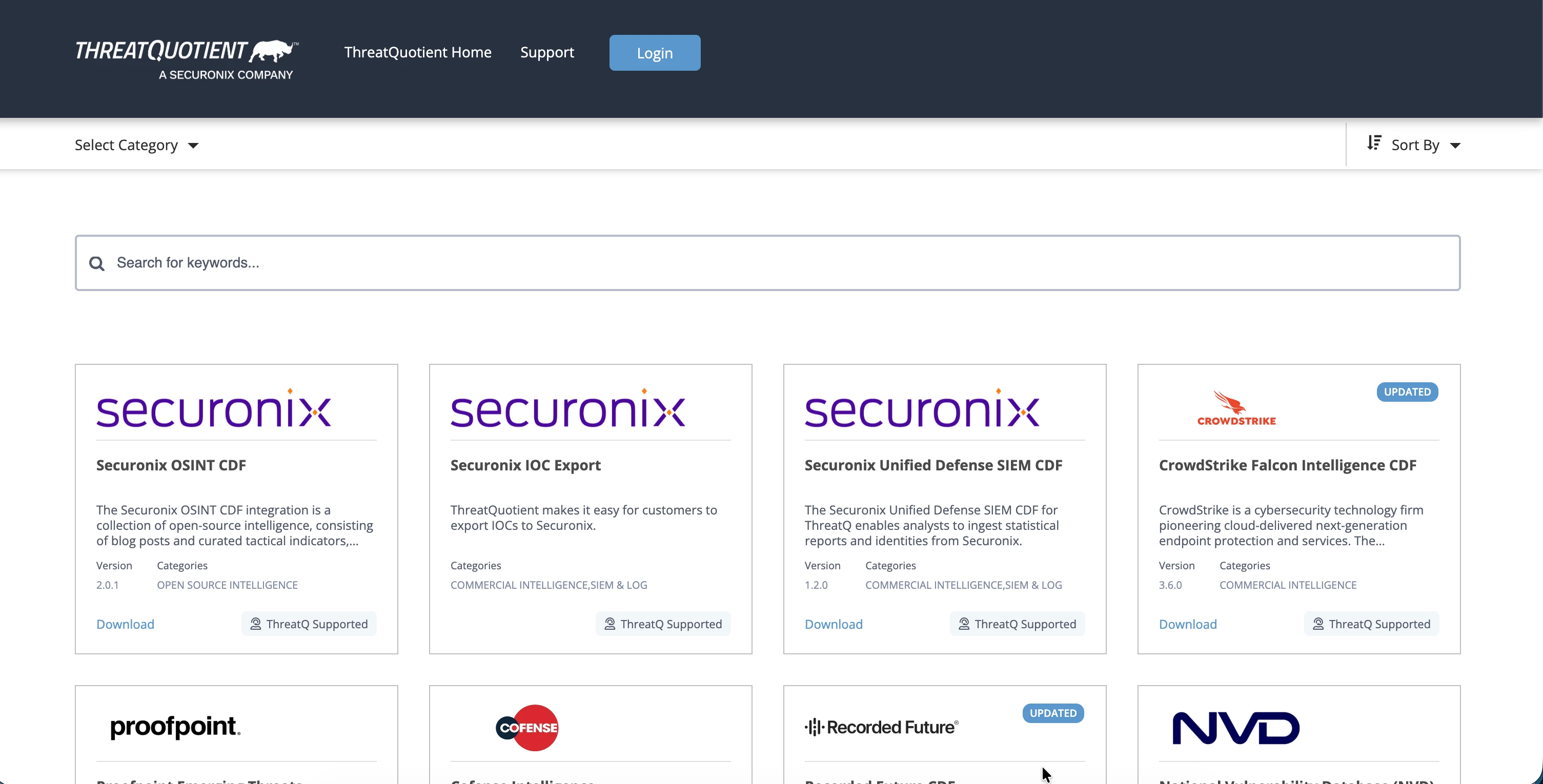
- Authenticate using your Securonix Connect credentials.
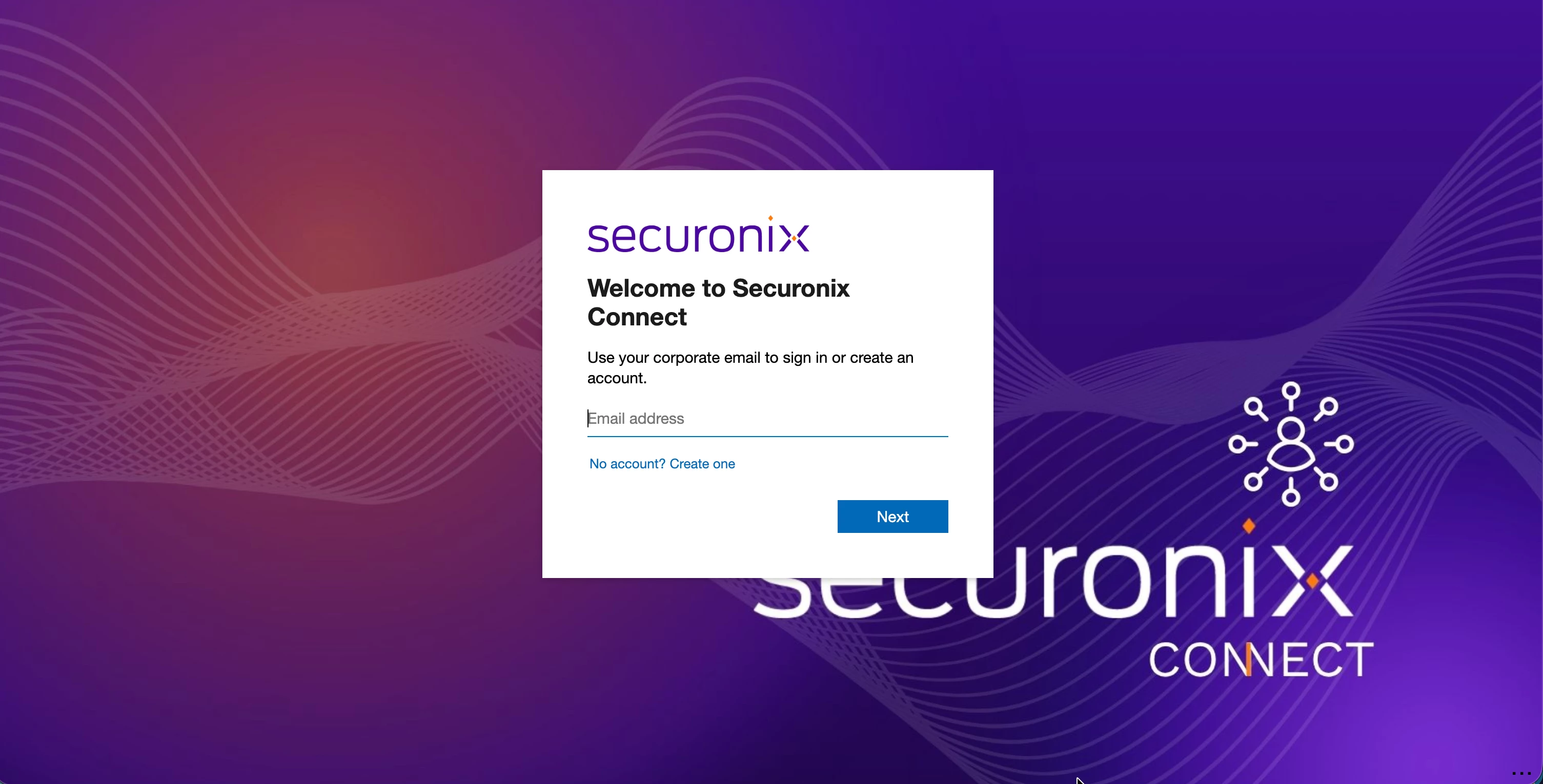
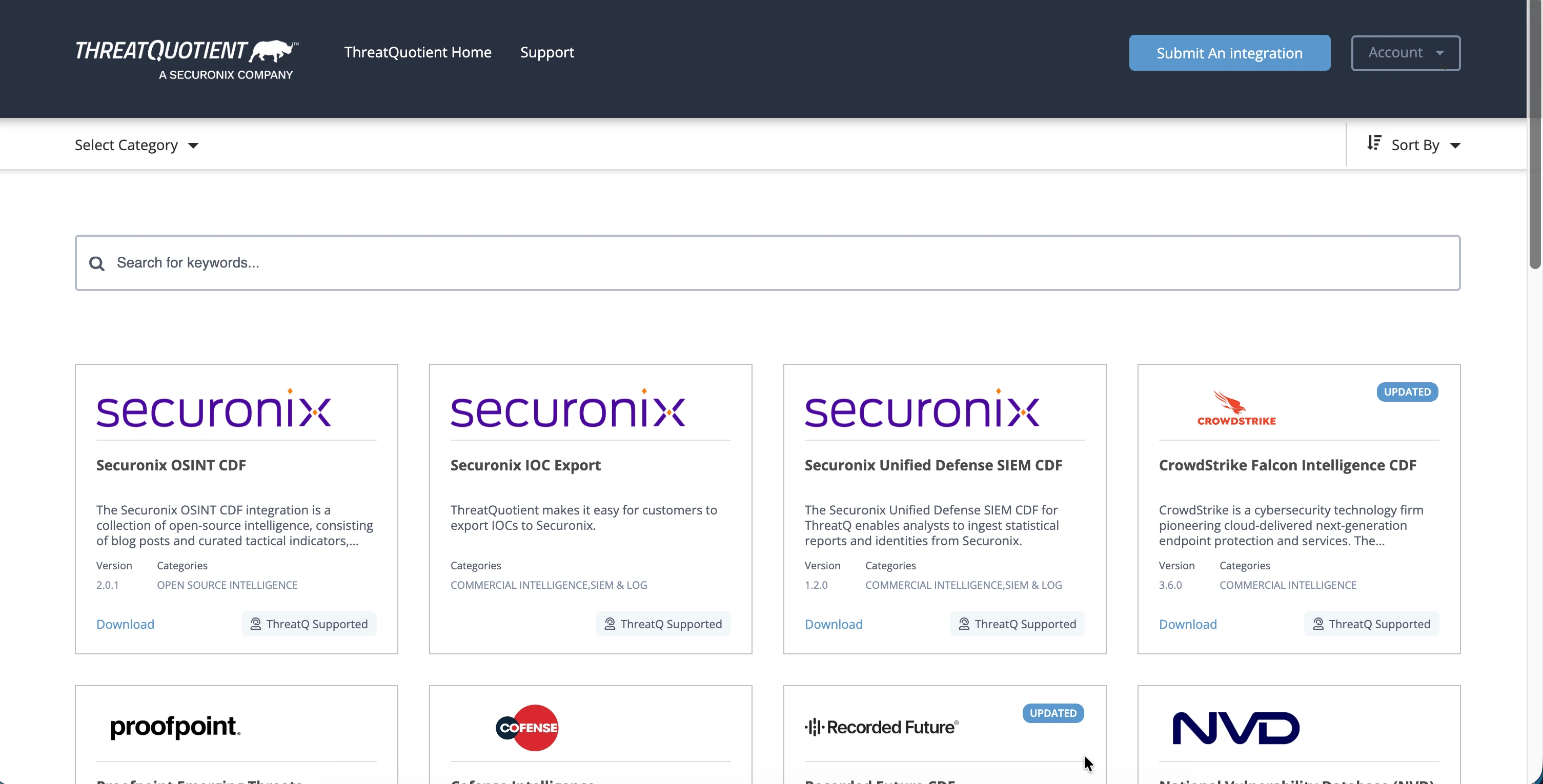
- After successful authentication, the Marketplace home page is displayed.
Expected Result
You can browse, search, and download available ThreatQ Marketplace content.
Explore Marketplace Content
The Marketplace contains integrations and content packages designed to support ThreatQ intelligence operations and workflow automation. Use the Marketplace search and filtering capabilities to:
- Locate specific vendors or integrations
- Identify newly released content
- Review version compatibility
- View release notes and update history
- Download packages for deployment within ThreatQ
Available Content Categories
The ThreatQ Marketplace includes several types of content:
-
Apps: Applications that extend ThreatQ functionality and provide additional capabilities.
-
Custom Data Feeds (CDFs): Integrations that ingest intelligence from external data sources into ThreatQ.
-
Custom Connectors: Connectors used to integrate ThreatQ with third-party products and platforms.
-
Operations: Workflow components that support ThreatQ automation and operational processes.
-
ThreatQ Orchestrate (TQO) Actions: Actions used within ThreatQ Orchestrate workflows to automate enrichment, response, and intelligence management tasks.
Example Marketplace Integrations
Examples of available integrations include:
- MITRE ATT&CK
- MISP Galaxy
- National Vulnerability Database (NVD)
- US-CERT
- VirusTotal
- DomainTools
- SafeBreach
- Additional commercial and open-source intelligence providers
- Available integrations may vary over time as new content is published.
Troubleshooting
Unable to Log In to the Marketplace:
If login fails:
- Verify that you are using a valid Securonix Connect account.
- Confirm that your account registration has been completed.
- Reset your password if necessary.
- Clear browser cache and cookies.
- Sign out and sign back in.
For additional assistance, see:
Unable to Download an Integration:
If an integration package does not download:
- Verify that you are logged into the Marketplace.
- Refresh the page and retry the download.
- Confirm that your Connect session has not expired.
- Ensure browser download restrictions are not blocking the file.
- Try a different supported browser.
- Verify that the selected integration is available for download.
Marketplace Content Does Not Appear
If the Marketplace catalog appears empty:
- Refresh the page.
- Confirm that authentication completed successfully.
- Clear browser cache and reload the Marketplace.
- Sign out and log back in.
- Verify internet connectivity.
Release Notes or Integration Information Does Not Load
If integration details cannot be viewed:
- Refresh the browser session.
- Verify network connectivity.
- Disable browser extensions that may block content.
- Try accessing the Marketplace using a different browser.
Verification Checklist
Verify the following:
- Marketplace login is successful.
- The Marketplace catalog is visible.
- Search and filtering functions work as expected.
- Integration details and release notes can be viewed.
- Integration packages can be downloaded successfully.
Call to Action
Looking for a specific integration or experiencing an issue with a Marketplace download? Leave a comment in the Community or contact Support for assistance.