
Audience: Customers, Partners, Administrators, Analysts, MSSPs
Product Module: Securonix Connect | Securonix Academy
Last Updated: February 11, 2026
KB ID: KB-20260211-connect-academy-registration
Tags: Securonix Connect, Academy, Registration, Login, Password Reset, Training, Self-Help Training, Account Setup, Connect Portal
Table of Contents
Problem
Users need access to Securonix Connect and the Securonix Academy for training, documentation, and community resources but are unsure how to register or log in.
Objective
This article guides you through:
-
Creating a Securonix Connect account
-
Signing in successfully
-
Accessing the Securonix Academy
-
Resetting your password if needed
Overview
Securonix Connect is the gateway to:
-
Securonix Academy training
-
Product documentation
-
Community resources
-
Knowledge Base articles
⚠️ To access the full functionality of Securonix Connect and the Academy, users must log in with a registered account. First-time users must create a login before accessing these resources.
1. Registering for Securonix Connect
1.1 Navigate to Securonix Connect
-
Open your web browser.
-
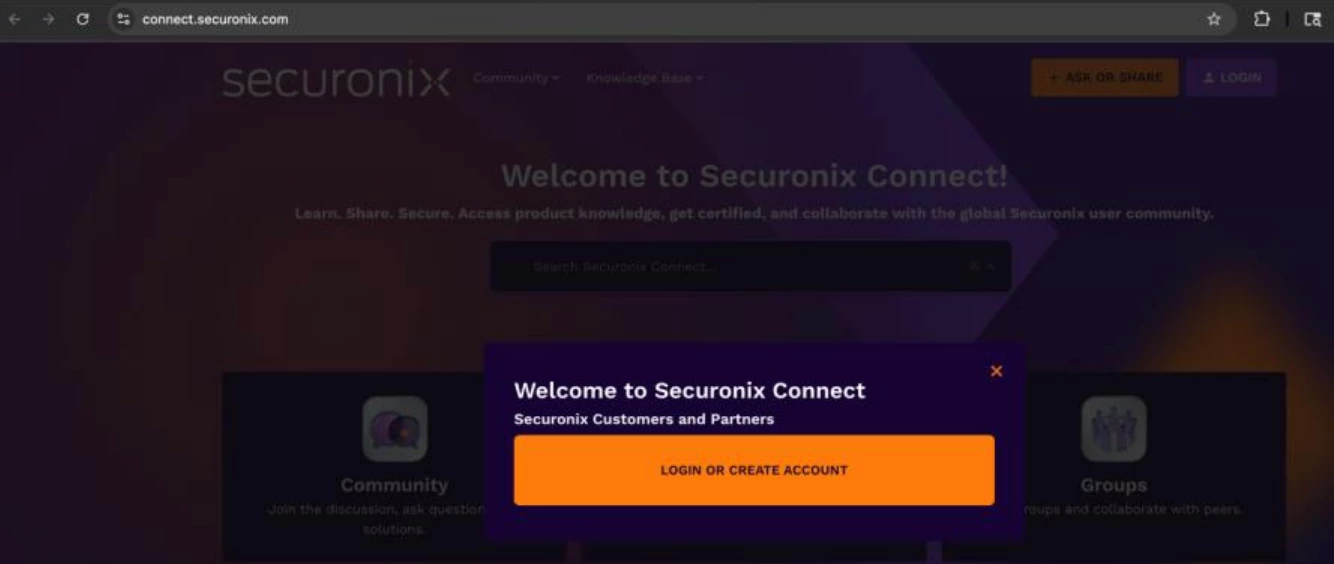
Go to: https://connect.securonix.com
-
Once the homepage loads, locate the top-right corner.
-
Click Login. You will be redirected to the login page.
-
Click the Login or Create Account button (orange button).
1.2 If You Already Have an Account
-
Enter your registered corporate or partner email address.
-
Click Next.
-
Enter your password.
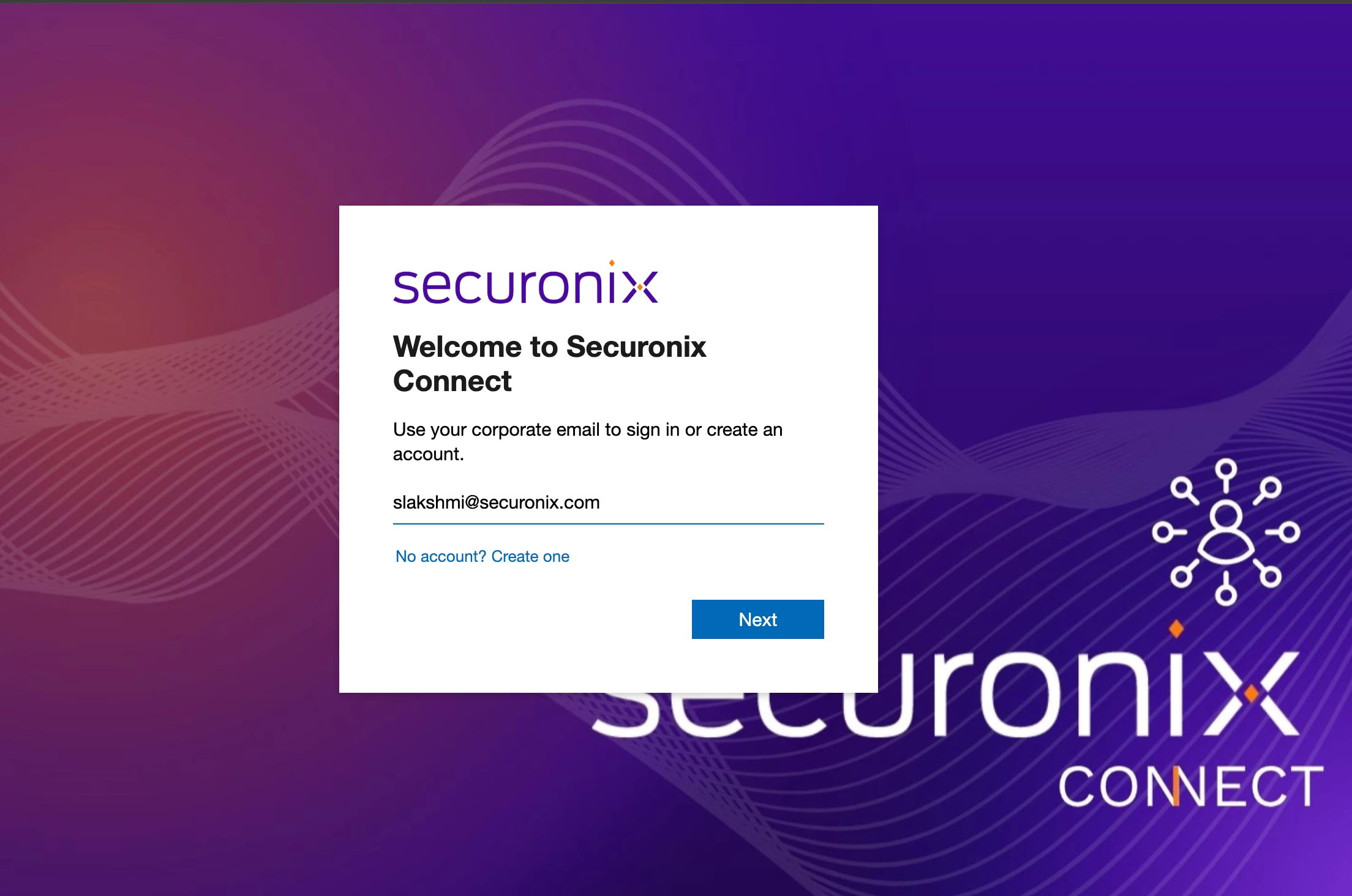
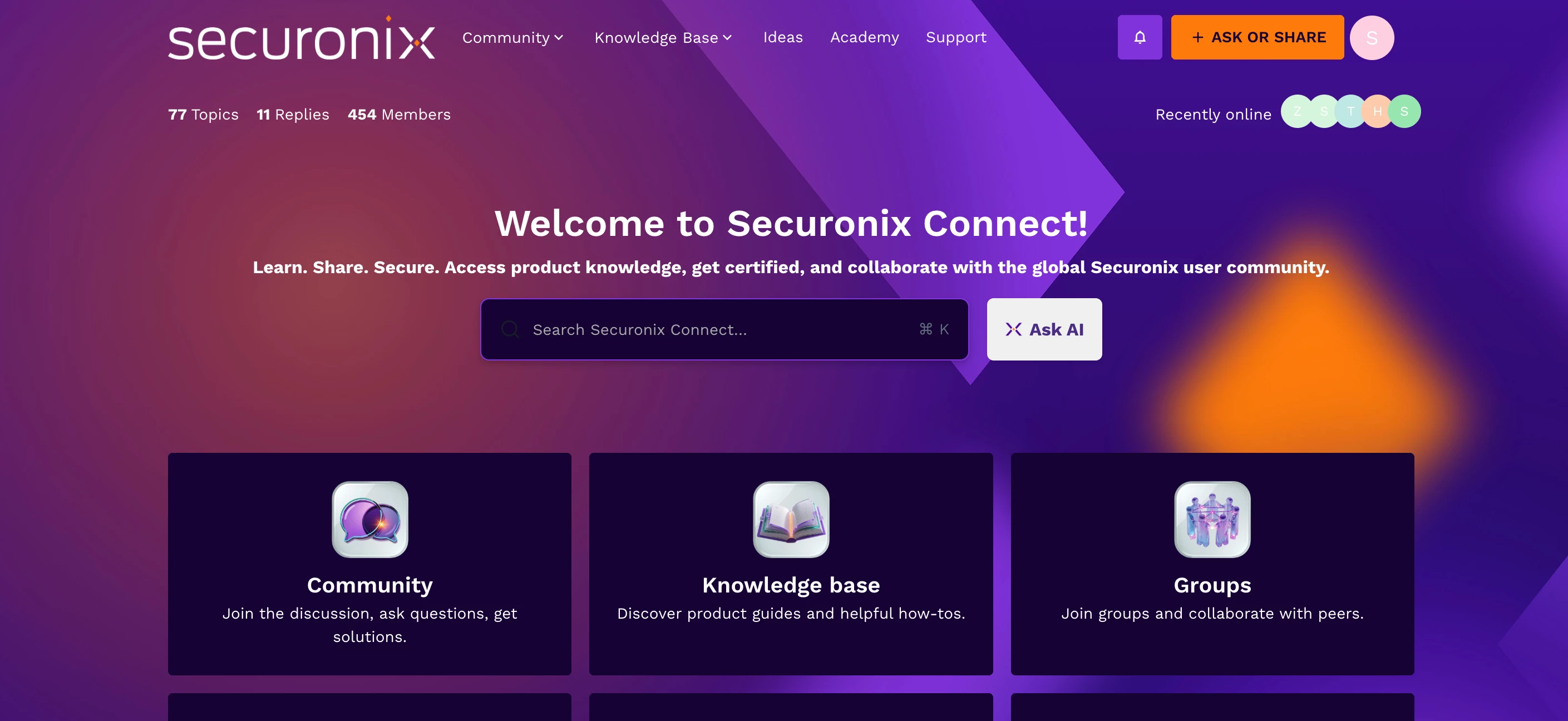
- Click Sign In. You will be logged into Securonix Connect.
1.3 If You Need to Create an Account (First-Time Users)
If you have not previously created a Securonix Connect login:
-
Enter your official corporate or partner email address.
-
Click Next.
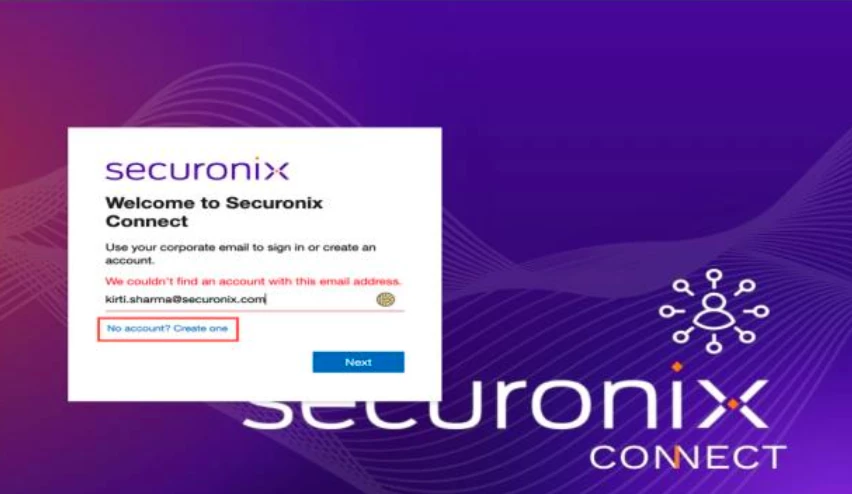
-
When prompted that no account exists, select:
No account? Create one
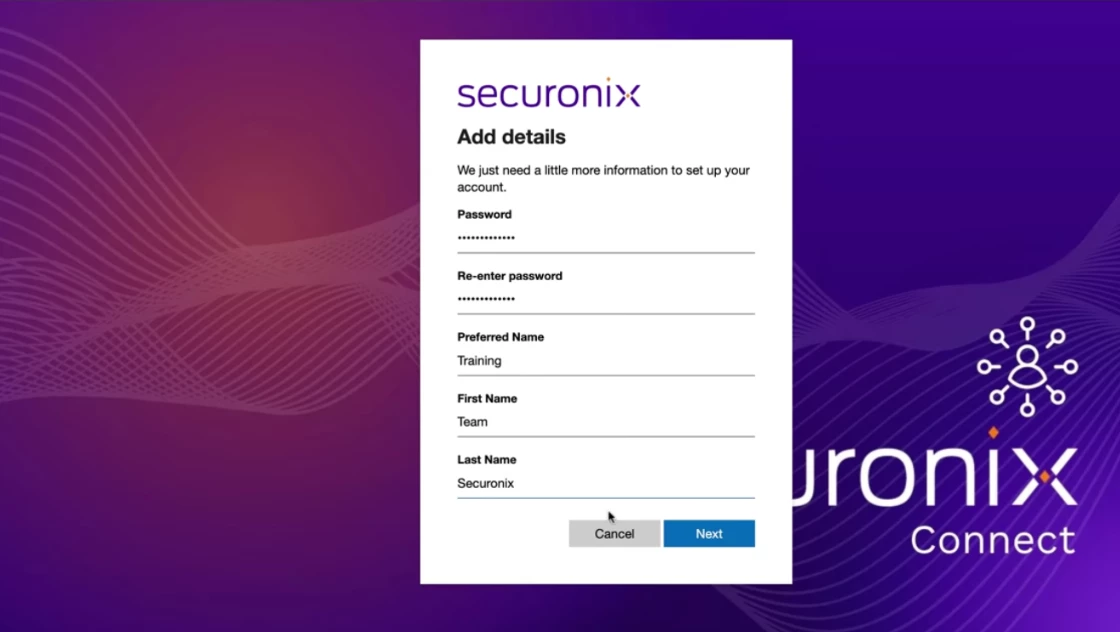
- Complete the registration form:
-
Create a secure password
-
Confirm your password
-
Complete required profile information
-
Verify your email via the verification message sent to your inbox
⚠️ Important:
Use your official corporate or partner email address. Personal email addresses may not be accepted.
Once verification is complete, your account will be activated and you can log in.
1.4 Forgot Your Password?
If you have forgotten your Securonix Connect password:
-
Go to the login page.
-
Enter your registered email address.
-
Click Forgot Password.
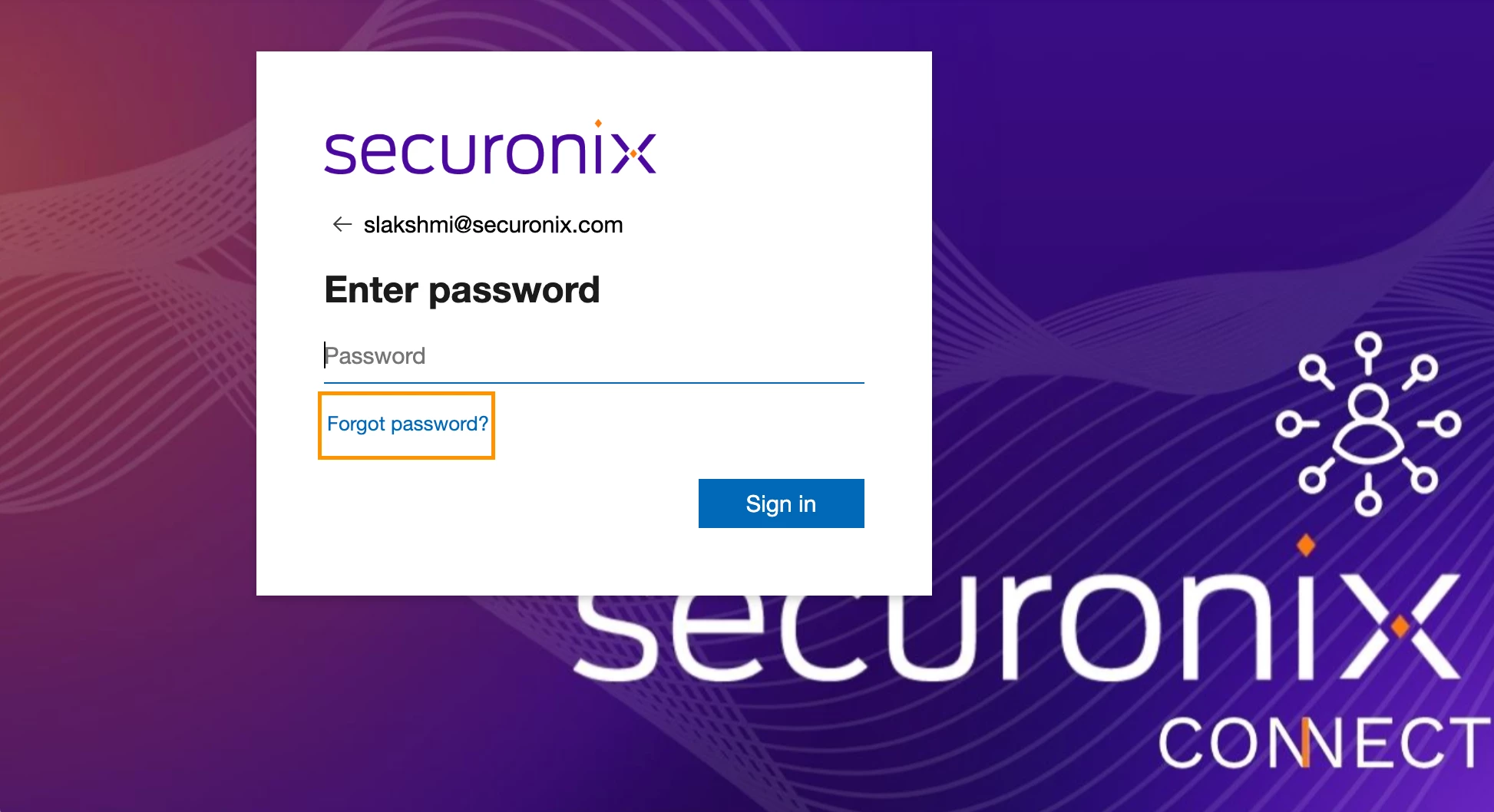
- Follow the reset instructions sent to your email.
⚠️ If the issue persists, submit a Securonix Support request.
2. Accessing the Securonix Academy
Once logged into Securonix Connect:
-
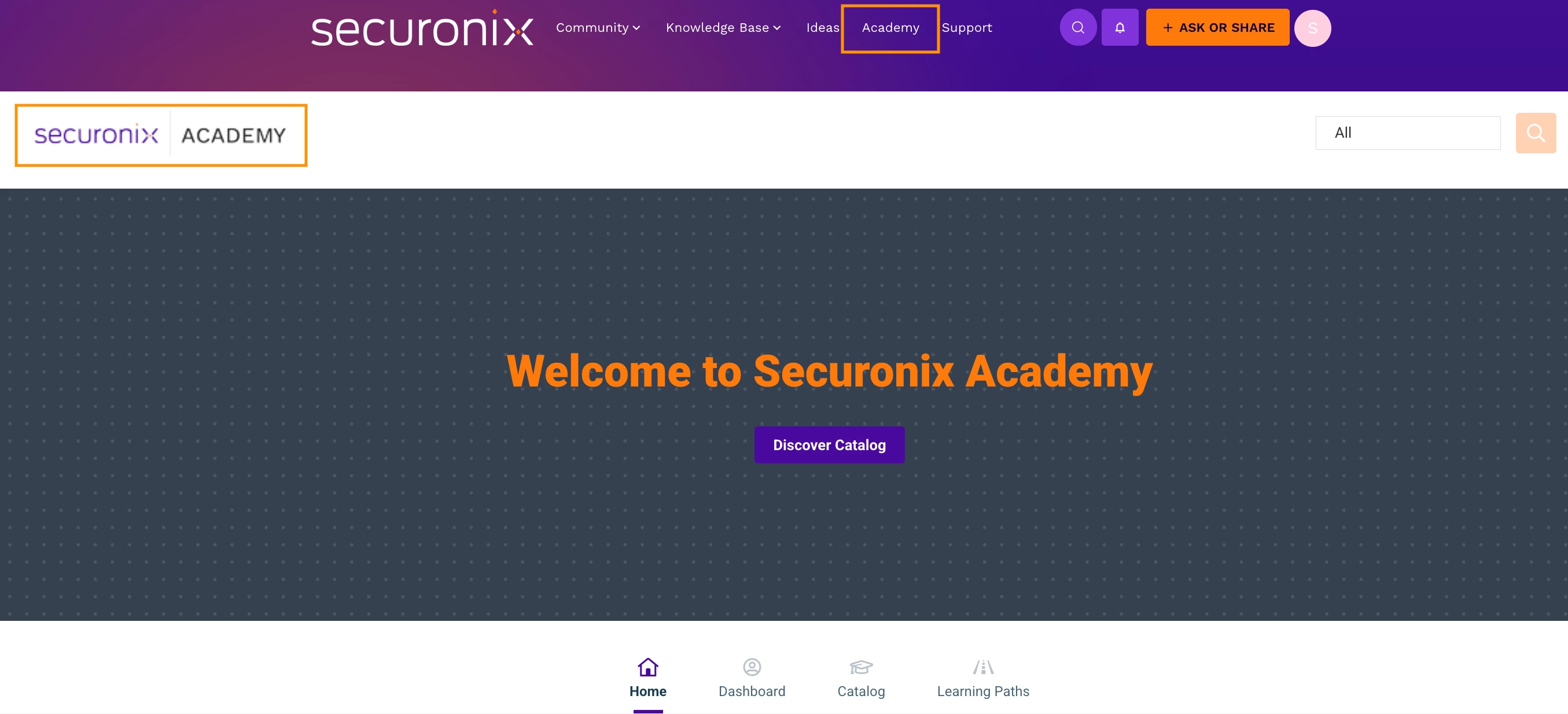
Locate the top navigation bar.
-
Click Academy. You will be redirected to the Securonix Academy portal.
⚠️ Important:
-
You may receive a browser prompt asking you to allow pop-ups.
Please allow pop-ups to ensure the Academy loads properly.
(Refer to this article)
-
If you receive an error such as:
-
“Refused to connect”
-
Page not loading properly
You may access the Academy directly at: https://securonixacademy.northpass.com
-
-
Use the same credentials as your Securonix Connect login.
Need Help?
If you experience issues with:
- 📝 Registration
- 🔐 Login
- 🔄 Password reset
- 🎓 Accessing the Academy
Contact:
📧 Training@securonix.com
🛎You may also leave a comment below for assistance.