


Target Audience: ThreatQ Administrators, Threat Intelligence Analysts, SOC Analysts
Product Module: Threat Library > Indicator Parser
Last Updated: July 15, 2026
Tags: ThreatQ, Indicator Parser, IOC Import, Threat Library, CSV Import, REST API, Events, Parsing
Overview
Threat intelligence can come from almost anywhere—vendor reports, malware analyses, blogs, emails, PDFs, and structured data feeds. The challenge is getting useful Indicators of Compromise (IOCs) out of that content and into your Threat Library without spending unnecessary time extracting and entering them manually.
ThreatQ’s native parsing capabilities make that process easier. You can submit supported structured or unstructured content to the Indicator Parser, let ThreatQ identify supported indicators, and then review the results before anything is added to the Threat Library.
This gives analysts an opportunity to check, edit, or remove indicators before importing them. Administrators can also configure default parsing behavior, while teams with automated ingestion workflows can use the ThreatQ REST API.
Why It Matters
The quality of your threat intelligence depends heavily on the quality of the data going into your Threat Library. When indicators are entered manually, differences in formatting or data entry can make that information harder to manage over time.
Native parsing helps reduce that manual work while giving analysts control over what is ultimately imported. Instead of spending time pulling individual indicators from a report or other source, analysts can focus on reviewing the results and deciding which intelligence is actually useful.
For teams that process threat intelligence regularly, the same capabilities can also support more consistent and repeatable ingestion workflows.
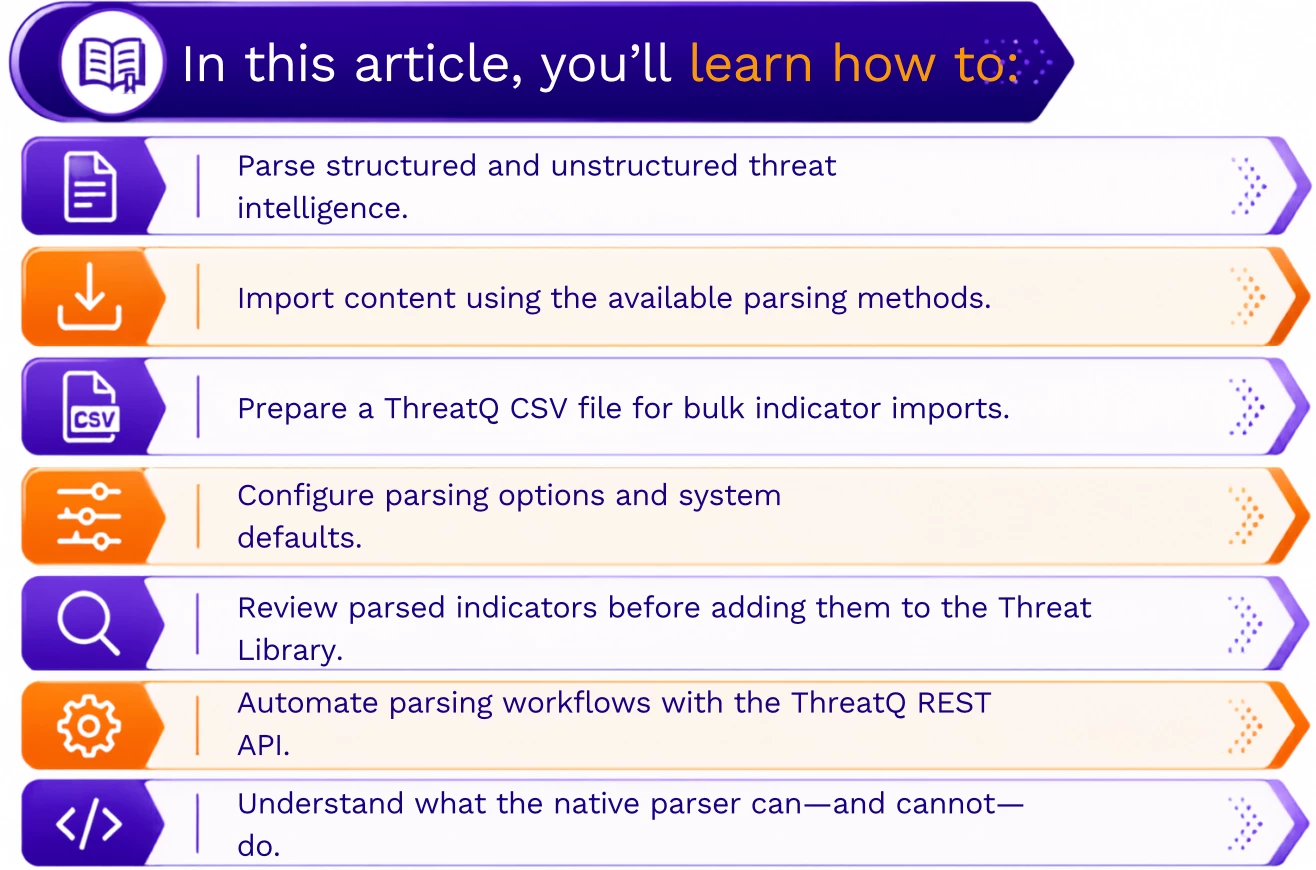
What You’ll Learn
Supported Content Types
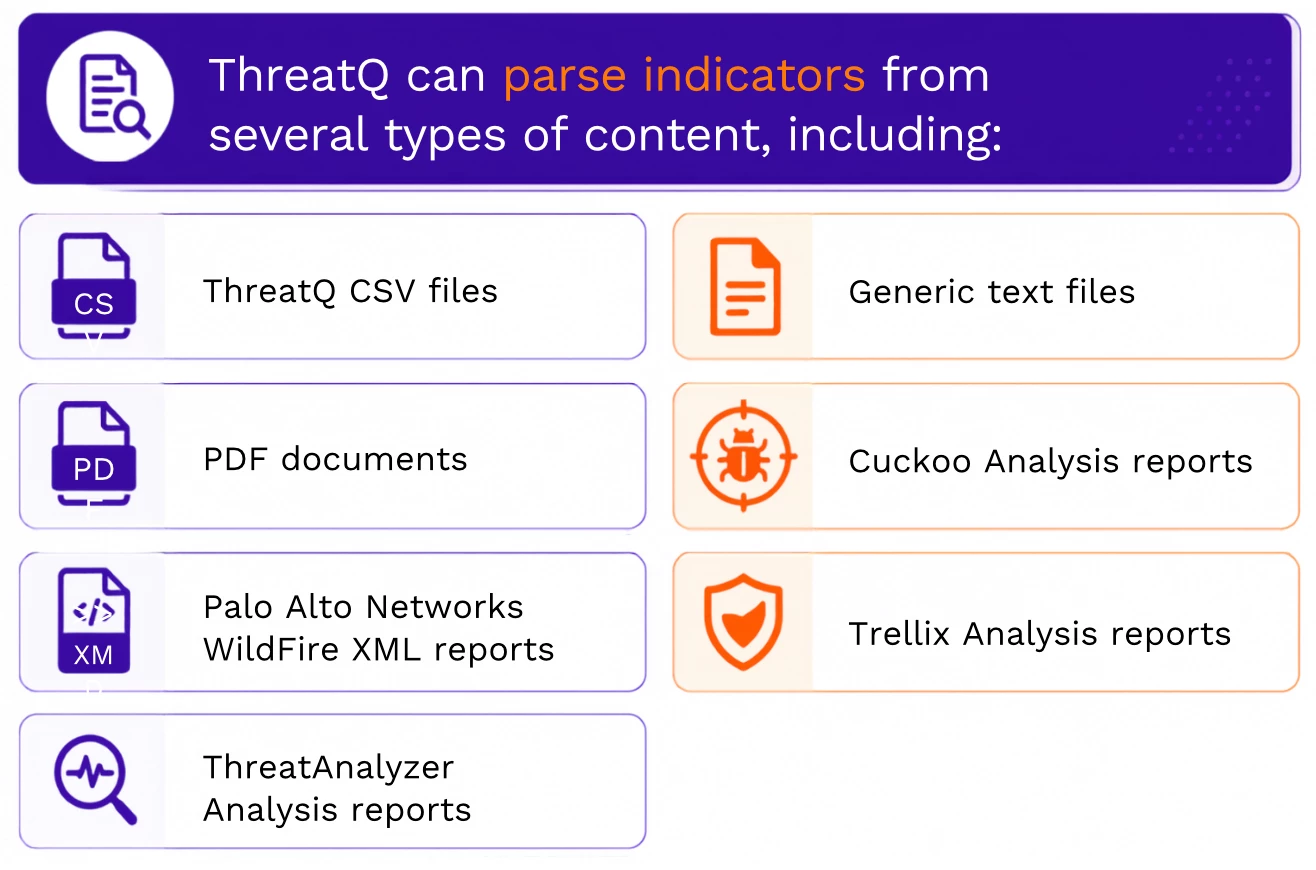
Note: Additional parser types may be available depending on your ThreatQ deployment and licensed integrations.
Ways to Import Content
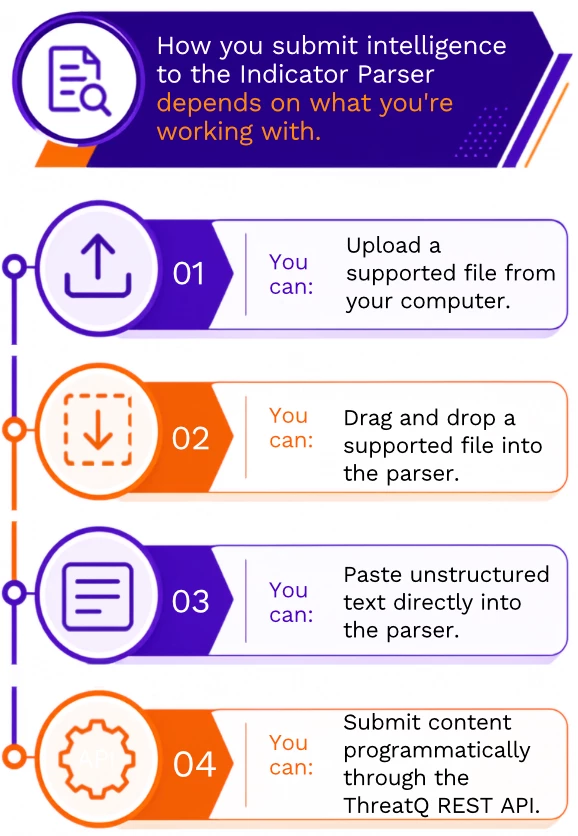
This gives you flexibility when working with intelligence from reports, blogs, emails, vendor advisories, malware analyses, and other sources.
For example, if you receive a report containing a long list of indicators, you don’t have to manually copy each indicator into ThreatQ. You can submit the supported content to the parser, review what ThreatQ identifies, and decide what should be imported.
Importing Indicators with a ThreatQ CSV
If your indicators are already organized as structured data, the ThreatQ CSV format provides a convenient way to import them in bulk.
Before importing the file, make sure it includes the required columns and that the values match what is configured in your ThreatQ environment.
Required Columns
| Column | Required | Description |
|---|---|---|
| Indicator | Yes | The indicator value, such as an IP address, domain, URL, or file hash. |
| Type | Yes | Must match an existing Indicator Type configured in ThreatQ. |
| Status | Yes | Must match an existing Status configured in ThreatQ. |
Optional Columns
You can also include additional information with your indicators.
| Column | Description |
|---|---|
| Attribute:: | Adds one or more attributes to an indicator. |
| Comments | Adds comments during the import. |
CSV Requirements
A few formatting details are important when preparing your file:
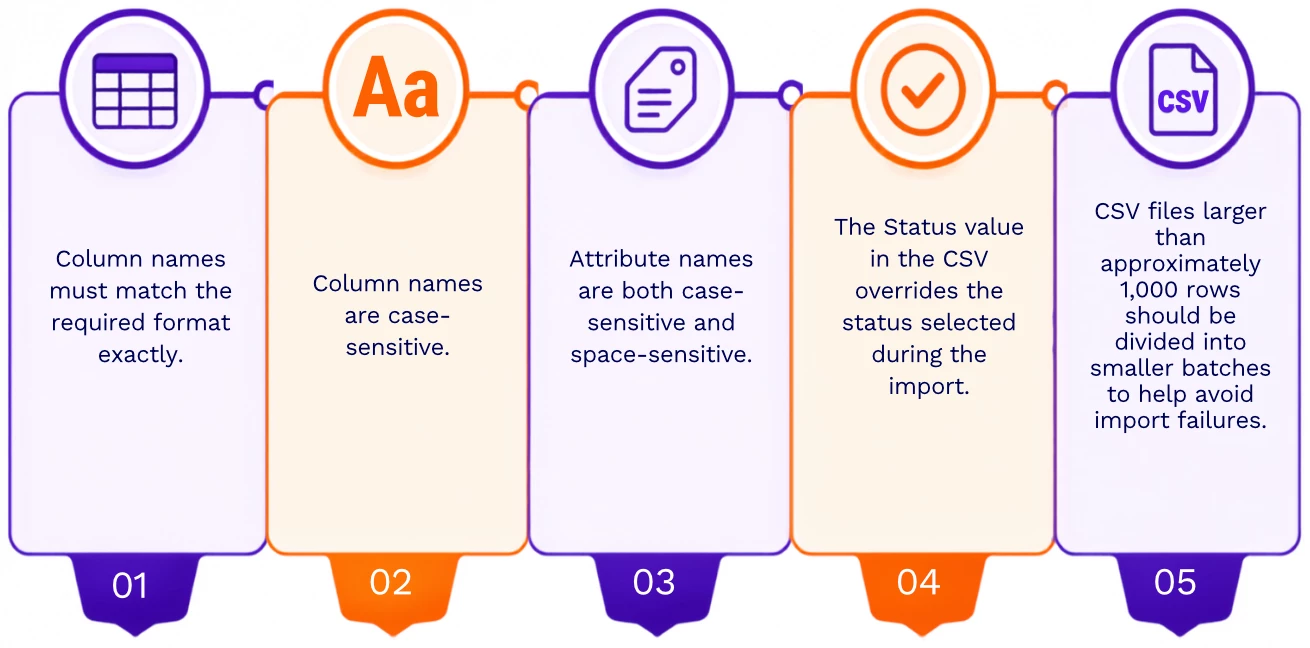
Taking a moment to check the file before importing it can save time later, especially when you’re working with a large number of indicators.
Parsing Options
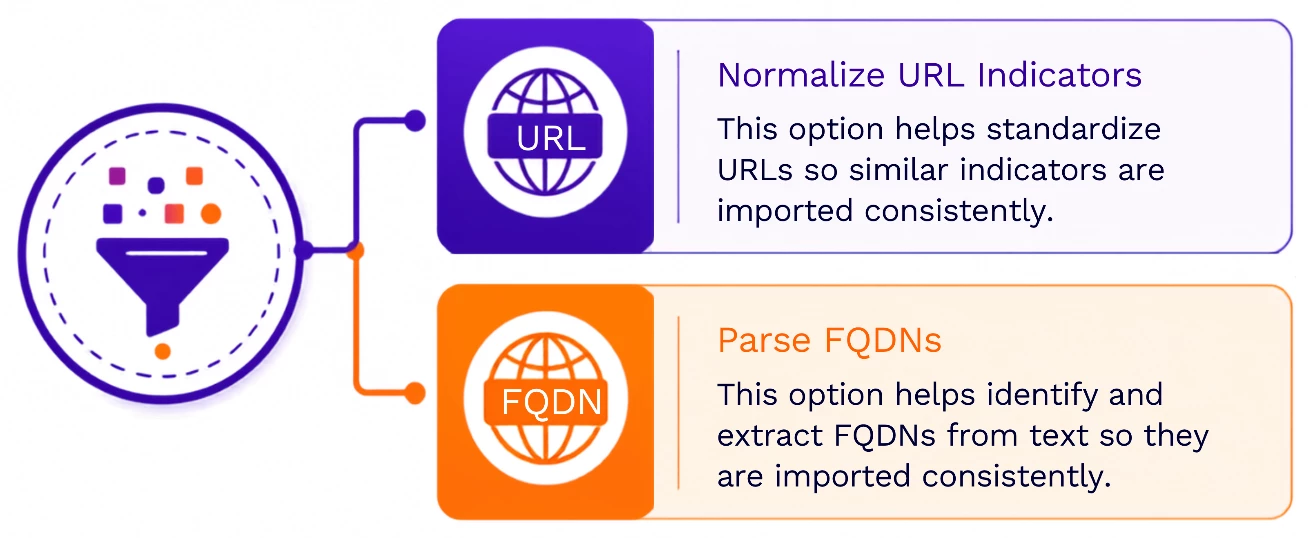
Not every source formats indicators in the same way. ThreatQ provides parsing options that can help keep the information you import more consistent.
Two options you’ll commonly work with are
Normalize URL Indicators
When Normalize URL Indicators is enabled, ThreatQ standardizes parsed URLs.
Depending on the URL being processed, this can include:
- Adjusting the leading protocol where appropriate.
- Normalizing port information.
- Removing unnecessary spaces and quotation marks.
- Preserving protocol and query string information as indicator attributes.
The goal is to keep URL indicators formatted consistently in the Threat Library, even when they come from different intelligence sources.
Parse FQDNs
Sometimes the domain contained within a URL is just as useful as the full URL.
When Parse FQDNs is enabled, ThreatQ can derive the Fully Qualified Domain Name (FQDN) from a parsed URL.
For example, if the parser finds:
ThreatQ can identify:
- URL:
https://example.com/page - FQDN:
example.com
You can then work with the complete URL and its associated domain independently.
Reviewing Parsed Indicators
Parsing is only part of the process. Before you complete the import, take time to review what ThreatQ found.
During the review step, you can:
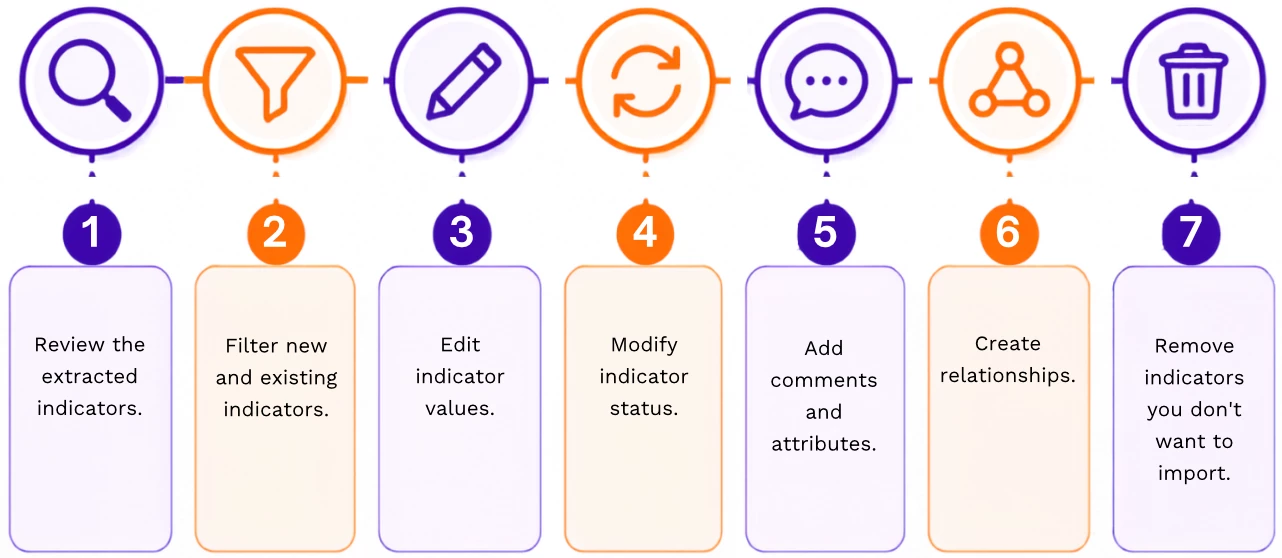
This step is important because not every indicator found in a document will necessarily be useful in your environment. Reviewing the results gives you control over what actually becomes part of the Threat Library.
Indicator Parsing Presets
If your team regularly uses the same parsing options, administrators can configure Indicator Parsing Presets to establish default behavior.
These presets can define the default state of options such as:
- Normalize URL Indicators
- Parse FQDNs
The system defaults are applied when users access the Indicator Parser, so analysts don’t have to configure the same options every time.
The defaults don’t prevent analysts from making changes when needed. Users can still adjust the available settings for an individual import when a particular intelligence source requires different handling.
Parsing Events
Indicators aren’t the only content ThreatQ can parse. ThreatQ also supports parsing content into Event objects.
The process is similar to indicator parsing: ThreatQ processes the submitted content and gives you an opportunity to review the results before completing the import.
For details about supported formats and behavior specific to Event parsing, refer to the related Event Parsing documentation.
Automating Parsing with the REST API
If your organization receives intelligence regularly from external systems, manually submitting every file or piece of content may not be practical.
In these situations, you can use the ThreatQ REST API to incorporate parsing into an automated ingestion workflow.
At a high level, the workflow involves four steps:
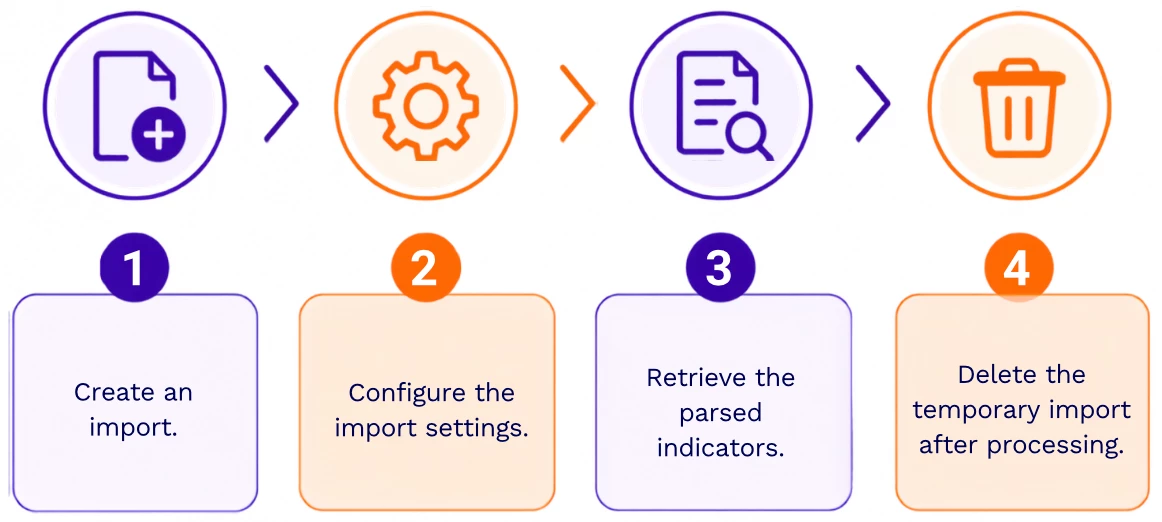
This allows external applications to submit and process intelligence without requiring an analyst to manually use the ThreatQ interface for every import.
For teams working with recurring feeds or other repeatable ingestion processes, API-based parsing can help reduce repetitive manual work.
What the Native Parser Supports
The indicators ThreatQ can identify depend on the parser and the content being processed.
Supported indicators can include:
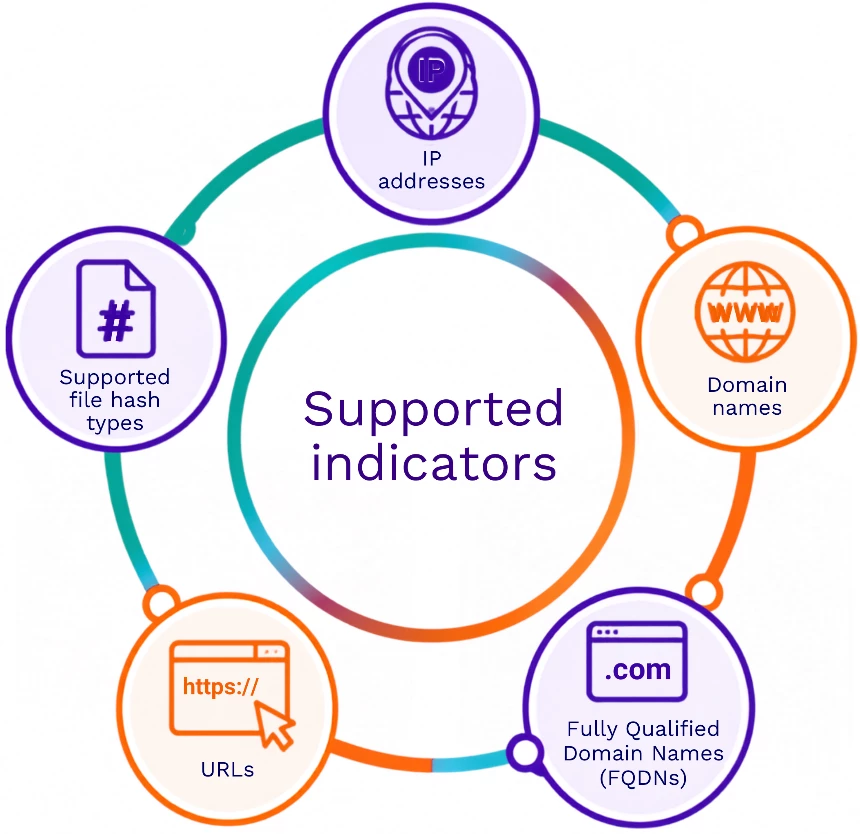
ThreatQ presents the extracted indicators for review before they are added to the Threat Library, giving you a chance to confirm that the results are appropriate for your environment.
Native Parser Limitations
It’s also important to understand what the native parser isn’t designed to do.
Native parsing focuses on extracting supported indicators. It does not automatically turn information found in unstructured documents into higher-level ThreatQ objects such as:
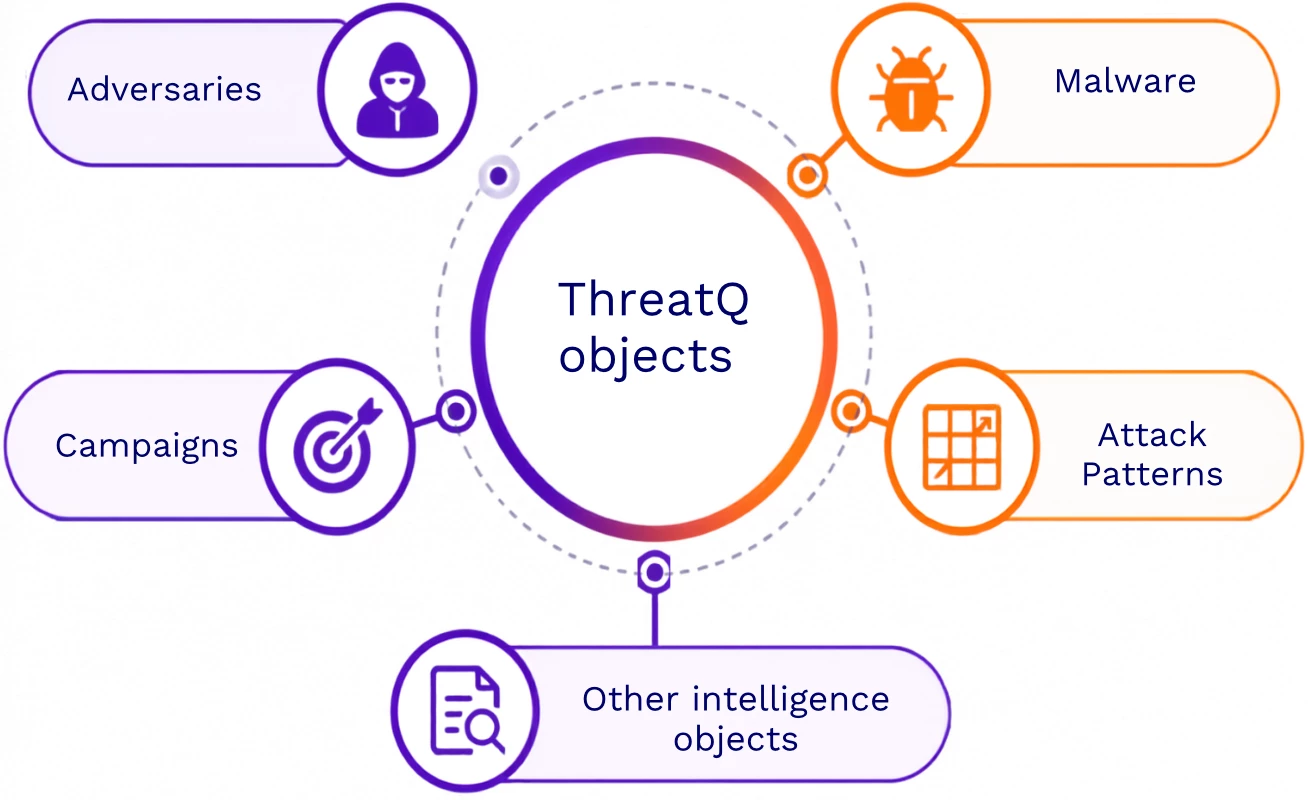
If your organization needs to automatically extract additional object types from intelligence content, contact your ThreatQ representative to discuss the capabilities available for your environment.
Important: Parsing can save you a significant amount of manual work, but it’s still important to review the results. Before completing an import, make sure the indicators being added to your Threat Library are relevant and accurate.
Best Practices
A few simple habits can make your parsing workflows easier to manage:
- Use the ThreatQ CSV format for structured imports whenever possible. If your intelligence is already organized into structured data, using the supported CSV format can make bulk imports more predictable.
- Review parsed indicators before completing the import. Check what the parser found and remove or correct anything that shouldn’t be added to your Threat Library.
- Use URL normalization when you want consistent URL formatting. This can help prevent formatting differences between URLs collected from different sources.
- Enable FQDN parsing when the domain is useful on its own. This allows you to work with both the full URL and its associated domain.
- Break large CSV imports into smaller batches. Smaller files can be easier to process and troubleshoot if something goes wrong.
- Consider the REST API for recurring ingestion workflows. If you’re repeatedly processing intelligence from the same external systems or sources, automation can reduce the amount of manual work involved.
Learning Outcomes
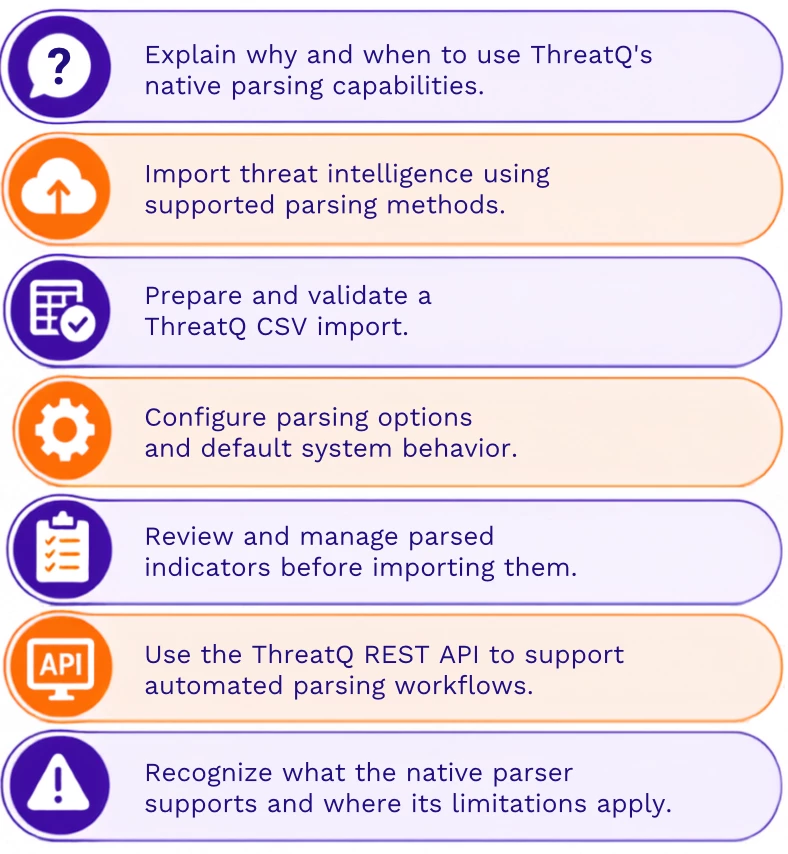
After completing the ThreatQ Administration learning path, specifically the System Configuration and Data Controls module, you should be able to:
Summary
ThreatQ’s native parser gives you a more efficient way to move useful indicators from threat intelligence sources into the Threat Library. Instead of manually extracting every IOC, you can let ThreatQ identify supported indicators and then review the results before deciding what should be imported.
Whether you’re working with an occasional report, a large CSV file, or an automated ingestion workflow, the same principle applies: use parsing to reduce repetitive work, then use the review process to make sure the intelligence entering your Threat Library is accurate, relevant, and useful.
Continue Learning
To see these capabilities in action, complete the System Configuration and Data Controls module in the ThreatQ Administration learning path.
You can also explore the related ThreatQ documentation for Indicator Parsing, Event Parsing, CSV imports, and REST API workflows for more detailed information about each capability.
If you have questions about native parsing or related ThreatQ functionality, reply to this article or explore the related resources available in the Knowledge Base.