
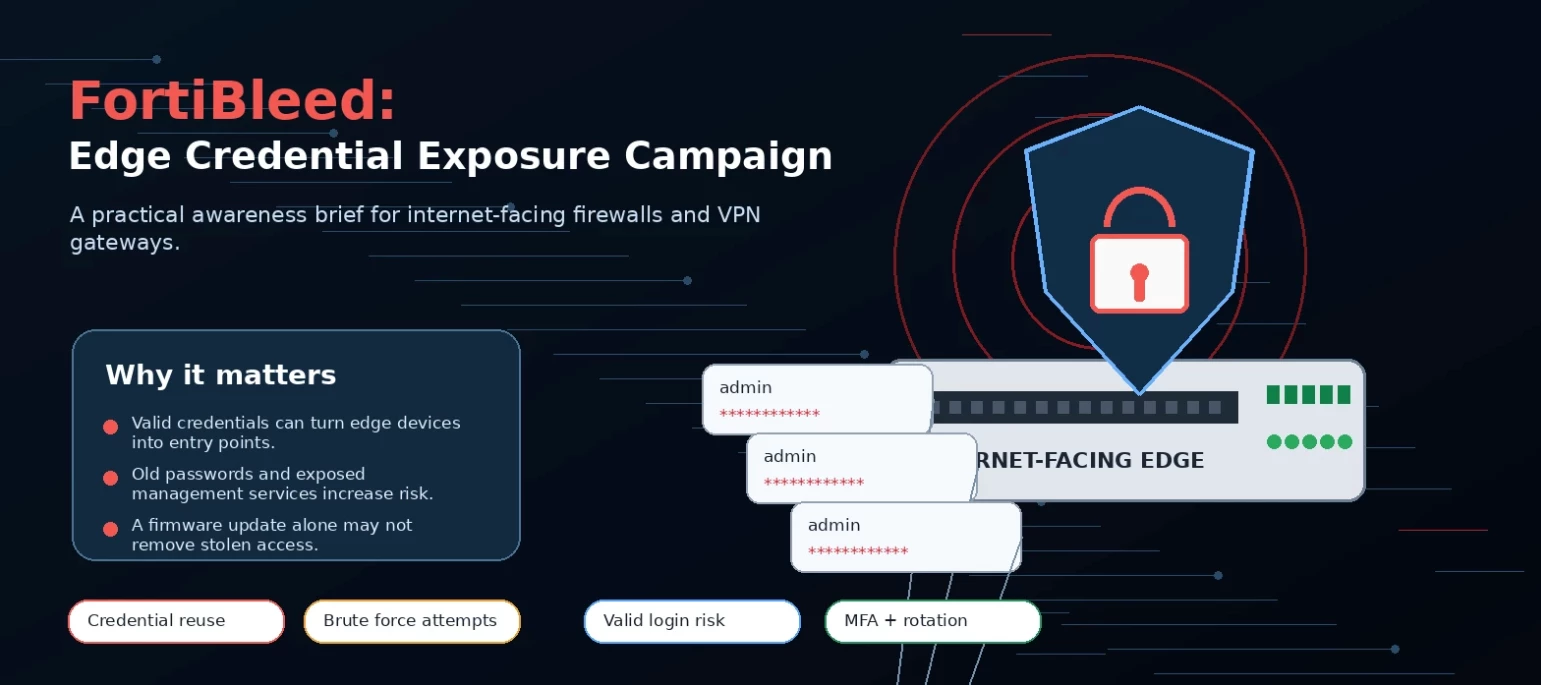


FortiBleed should be treated as an edge-credential exposure event. If a FortiGate administrator or SSL VPN account is valid and exposed, an attacker may not need a new exploit. They may be able to log in directly.
Public reporting describes a credential-harvesting campaign involving Fortinet FortiGate firewalls, SSL VPN gateways, and administrative management interfaces. Researchers reported tens of thousands of device entries, including URLs, usernames, email addresses, plaintext passwords, and credential material tied to FortiGate environments. Fortinet's June 19 analysis says its initial review points to credential reuse from earlier incidents and brute-force activity against systems with weak password hygiene and no MFA. Fortinet says the activity is not tied to a new Fortinet vulnerability or a recent advisory.
| Current confidence | Medium. Public reporting and Fortinet analysis agree that exposed or reusable credentials are the central issue. They differ on scale, collection path, and how much of the dataset came from configuration exports. |
| Highest priority | Internet-facing FortiGate management interfaces, SSL VPN portals, local administrator accounts, LDAP or AD bind accounts, service accounts, and any credential reused outside the device. |
| First decision | Do not stop at patch status. Decide whether exposed credentials may still work, whether sessions remain active, and whether the device configuration changed. |
What appears to be happening
The campaign appears to be less about a single new bug and more about whether exposed credentials still work against reachable Fortinet edge systems. Reported records include firewall URLs, usernames, email addresses, plaintext passwords, and credential material that some researchers believe may have come from configuration data. The collection path has not been settled publicly.
Fortinet's position is narrower: it believes the activity involves reused credentials from earlier incidents and brute-force attempts, especially where passwords were weak and MFA was missing. Teams that used FortiCloud SSO should also review the relevant FortiGuard advisory and confirm remediation.
There may not be a single patch for the leaked credentials themselves. Upgrades and hardening still matter, but the response must cover credential rotation, active sessions, configuration state, and evidence of use.
Why this matters (Operational risk)
Firewalls and VPN gateways are not ordinary endpoints. They control remote access, management paths, segmentation, and policy enforcement. With a working administrator or VPN account, an attacker may be able to reach the admin GUI, export the configuration, create local users, alter VPN settings, change policy, turn down logging, or use the gateway as a foothold into the internal network.
A public FortiGate login page is not proof of compromise. In the context of a large credential dataset, though, it becomes an asset that needs validation. The questions are practical: is the service reachable, could any exposed credential still authenticate, and did anything change after suspicious access?
Treat impacted systems as possible perimeter compromises, not as ordinary password-reset tickets.
Observed attack flow
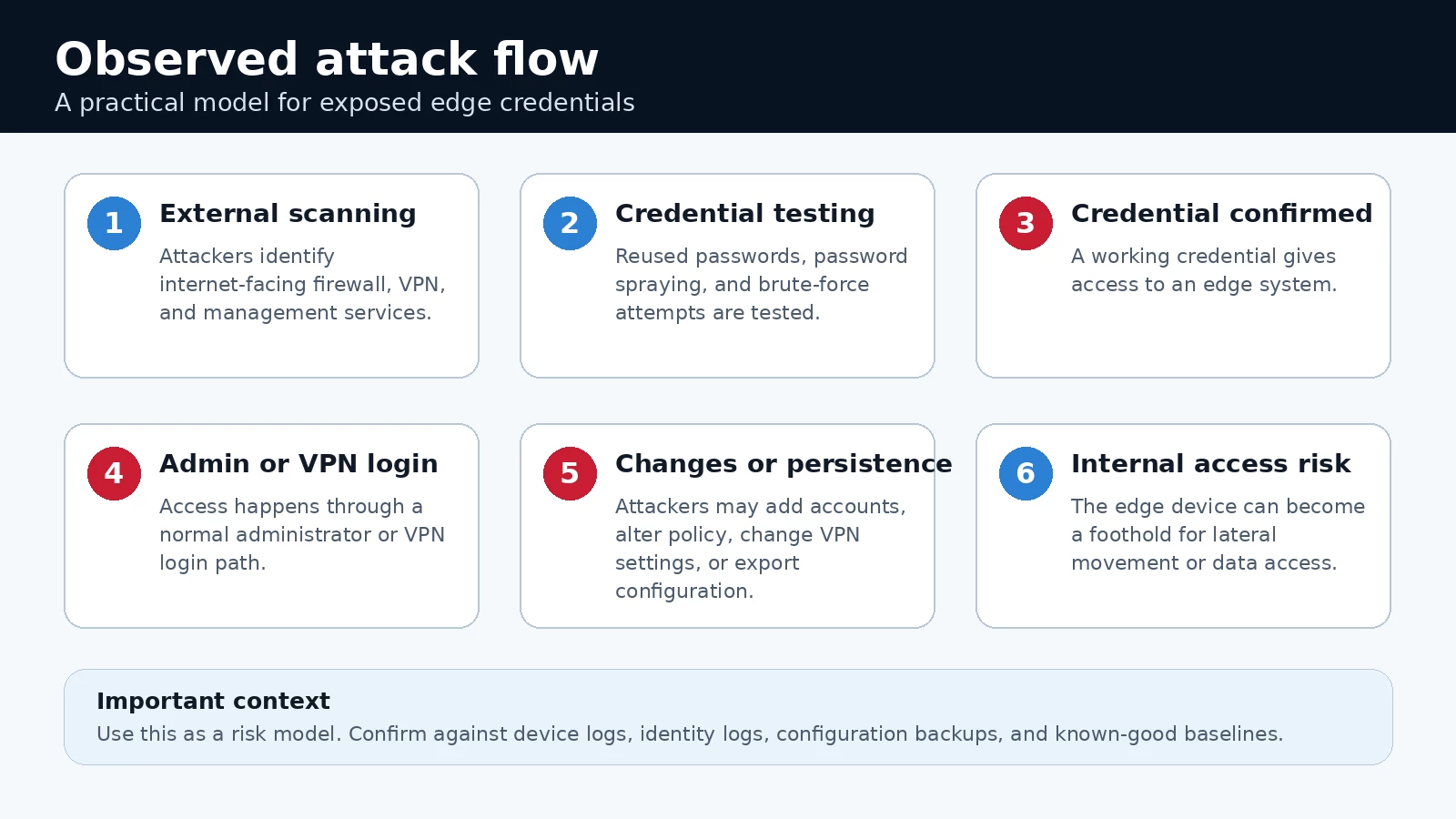

A compact view of the same flow: exposure, credential testing, successful access, configuration review, and internal-access risk.
Use this as a risk model, not proof that every affected device followed the same path:
-
Attackers scan for internet-facing firewall, VPN, and management services.
-
They test reused, weak, sprayed, or brute-forced credentials.
-
A successful login gives administrator or VPN access through a normal authentication path.
-
From there, they may inspect or export configuration, add users, change policy, alter VPN settings, or create a new access path.
-
If the device uses AD, LDAP, SSO, or service accounts, the connected identities need review as well.
Fortinet's customer guidance calls for reviewing firewall and VPN users, checking for unauthorized configuration changes, looking for unexpected administrator access, and monitoring domain controller logs for lateral movement, unusual access, suspicious accounts, and unauthorized changes.
What organizations should check
| Area | Check first | Why it matters |
| Exposure | Admin GUI, SSH management, SSL VPN, FortiCloud SSO use, public IPs and NAT paths. | A reachable login page gives attackers a place to test valid or guessed credentials. |
| Identity | Local admins, stale VPN users, shared accounts, LDAP or AD binds, service accounts, reused privileged passwords. | A device credential may also unlock internal systems if the account is reused. |
| Device state | New local users, config exports, policy or routing changes, disabled logging, trusted-host changes, VPN group changes. | Persistence can survive password rotation if the configuration was changed first. |
| Access evidence | Successful admin or VPN logins from unfamiliar ASNs, countries, IPs, or times. Repeated failures followed by success. | These events show whether exposed credentials were tested or used. |
| Downstream activity | IdP logs, domain controller events, EDR alerts, flow data, new domain accounts, lateral movement indicators. | The firewall or VPN login may be the first hop, not the final action. |
Securonix Threat Labs Summary
Securonix Threat Labs recommends implementing the following defensive measures to strengthen security posture and mitigate potential risks.
-
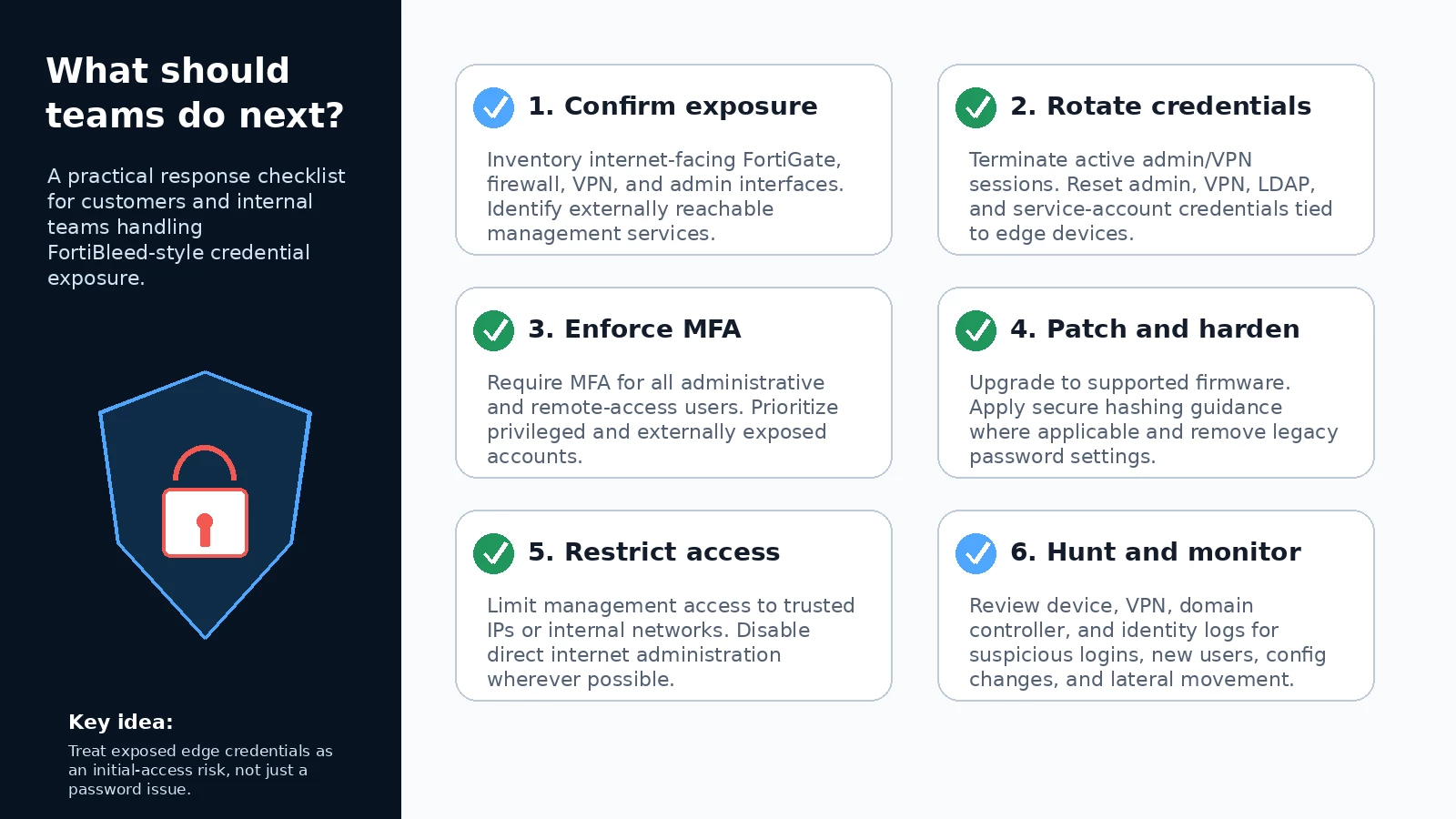
Contain access first. Terminate administrator and VPN sessions. Disable or isolate suspicious accounts while the review is in progress.
-
Rotate the credentials that matter. Reset administrator, VPN, LDAP or AD bind, SSO, service account, and other credentials tied to affected or exposed devices. Prioritize internet-facing systems and any account reused outside the device.
-
Enforce MFA for administrator and VPN access. A valid password should not be enough to reach the management plane or SSL VPN portal.
-
Patch and harden the appliance. Move FortiGate systems to currently supported FortiOS branches, and follow Fortinet guidance for PBKDF2-based administrator credential hashing and removal of legacy password settings.
-
Take management off the public internet wherever possible. Use trusted hosts, local-in policies, VPN-only administration, or an internal management path. Fortinet describes removing internet administration as the best option when feasible.
-
Compare the current configuration to a known-good backup. Check local users, admin groups, trusted-host settings, VPN configuration, routing, firewall policy, logging, and any newly created access path.
-
Hunt beyond the firewall. Review FortiGate events with IdP, domain controller, EDR, and network-flow telemetry. Look for new domain accounts, suspicious LDAP bind use, unusual VPN source locations, and lateral movement after edge access.
Detection focus
Securonix Threat Labs recommends that security operations teams focus on activity chains rather than isolated events. The stronger signal is successful edge access followed by a FortiGate configuration change, account change, or internal identity activity.
-
Successful administrator logins from unfamiliar ASNs, countries, VPN providers, cloud hosts, or residential proxy ranges.
-
Repeated failed logins followed by success for the same account, source, or target device.
-
Configuration exports, backups, or downloads near suspicious login activity.
-
New local users, password resets, changed administrator profiles, or unexpected account names such as forticloud, fortiuser, fortinet-support, or fortinet-tech-support.
-
Changes to trusted hosts, local-in policies, logging, SSL VPN portals, VPN groups, firewall policy, routing, or remote-access settings.
-
LDAP or AD bind-account use after suspicious FortiGate access, especially if followed by new account creation, privilege changes, or lateral movement indicators.
Analyst note
Treat any exposed FortiGate credential as valid until it has been rotated and investigated. Do not stop at patching. Confirm exposure, kill active sessions, rotate credentials, validate the configuration, and hunt for follow-on activity in identity and endpoint telemetry.
References
-
Fortinet, Analysis of Reported Credential Compromise of FortiGate Devices - https://www.fortinet.com/blog/psirt-blogs/analysis-of-reported-credential-compromise-of-fortigate-devices
-
Censys, June 19 Advisory: Fortinet Credential Exposure Campaign [FortiBleed] - https://censys.com/advisory/june-19-advisory-fortinet-credential-exposure-campaign-fortibleed/
-
Kevin Beaumont, FortiBleed - 75k Fortinet firewalls have admin passwords cracked - https://doublepulsar.com/fortibleed-75k-fortinet-firewalls-have-admin-passwords-cracked-60299faa65f8
-
Fortinet FortiGuard PSIRT, Administrative FortiCloud SSO authentication bypass - https://www.fortiguard.com/psirt/FG-IR-26-060
-
Fortinet Community, Technical Tip: Enforcing PBKDF2 as hash function for administrator accounts in FortiOS v7.2.11 and later - https://community.fortinet.com/t5/FortiGate/Technical-Tip-Enforcing-PBKDF2-as-hash-function-for/ta-p/220652
-
SOCRadar, FortiBleed: SOCRadar Investigation into Compromised Fortinet Firewalls - https://socradar.io/blog/fortibleed-fortinet-firewalls-compromised/