


Audience: Security Administrators, Security Analysts, SOC Teams, MSSPs
Product Module: ThreatWatch / ThreatQ
Last Updated: July 3, 2026
Article Type: Product Update
Tags: ThreatWatch, ThreatQ, Autonomous Threat Sweeper, ATS, Threat Hunting, Threat Intelligence, TIP Query, Exposure Validation, MiniTQ, Investigation
Overview
ThreatWatch is the next evolution of Autonomous Threat Sweeper (ATS), providing a modern approach to validating organizational exposure to emerging threats.
By combining curated threat intelligence, retrospective hunting, and expert analyst validation, ThreatWatch helps security teams identify investigation-worthy findings while reducing the operational effort required for manual threat hunting.
This release introduces an enhanced customer experience through ThreatQ, increased visibility into hunting activities, and streamlined investigation workflows using TIP Query integrations.
What’s New
Modernized Threat Exposure Validation
ThreatWatch continuously helps organizations validate exposure to emerging threats through retrospective threat hunting and analyst-reviewed investigations.
Rather than requiring security teams to manually translate threat reports into detection queries and repeatedly perform historical searches, ThreatWatch delivers a repeatable workflow that identifies, validates, and escalates only findings that require customer attention.
Human-Validated Threat Hunting
ThreatWatch combines automation with expert analyst review through a structured operational workflow:
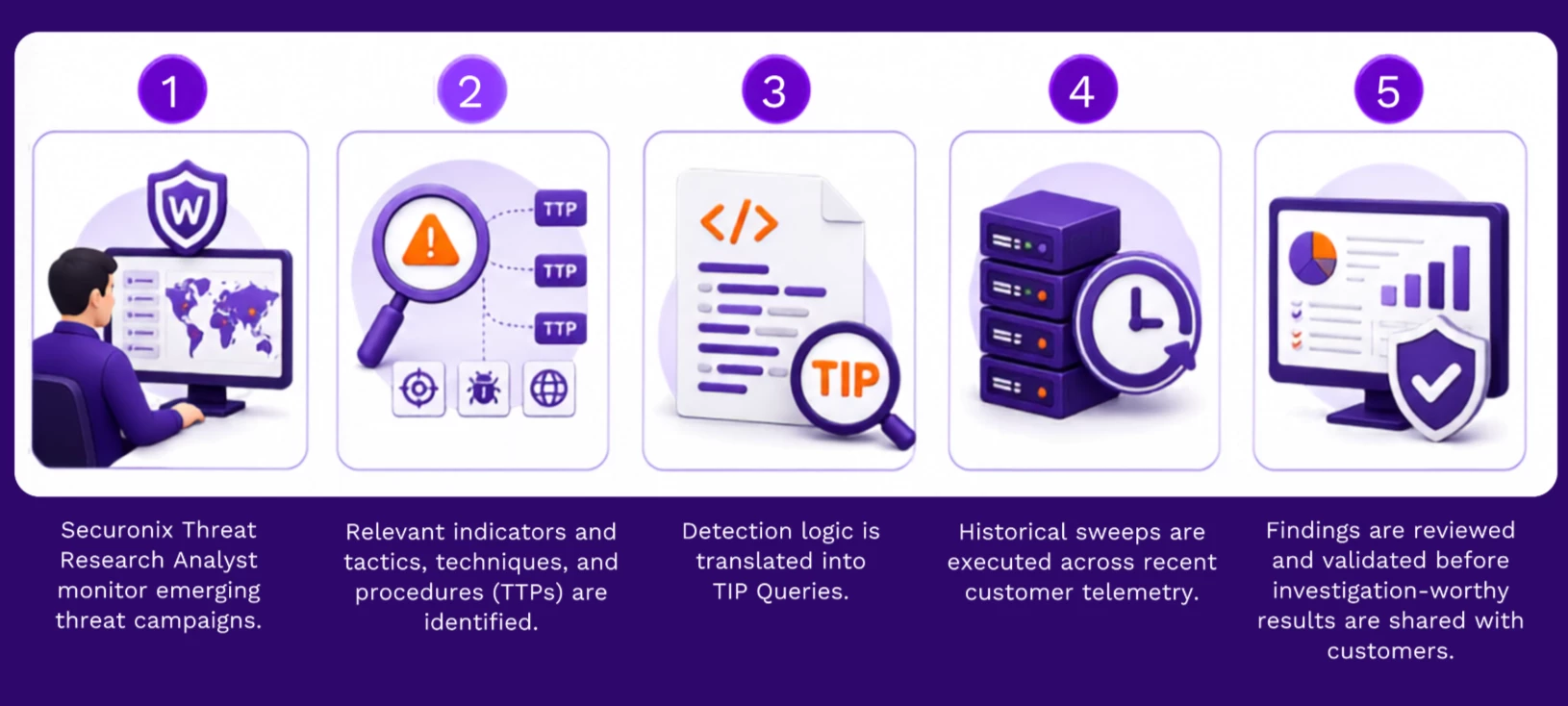
This approach helps ensure customers receive validated findings instead of large volumes of raw detection data.
Enhanced Customer Experience
ThreatWatch introduces a significantly improved customer experience by providing visibility through ThreatQ.
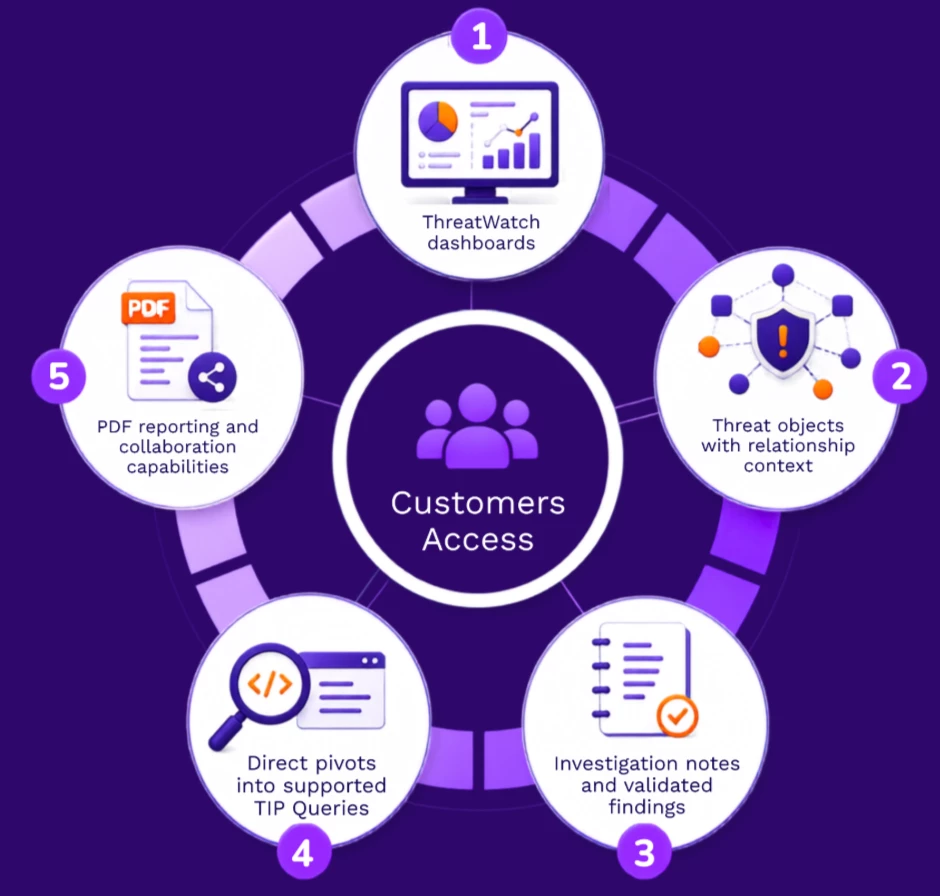
This provides greater transparency into managed threat hunting activities while maintaining ThreatWatch as a managed service rather than a self-managed hunting platform.
Flexible Deployment Options
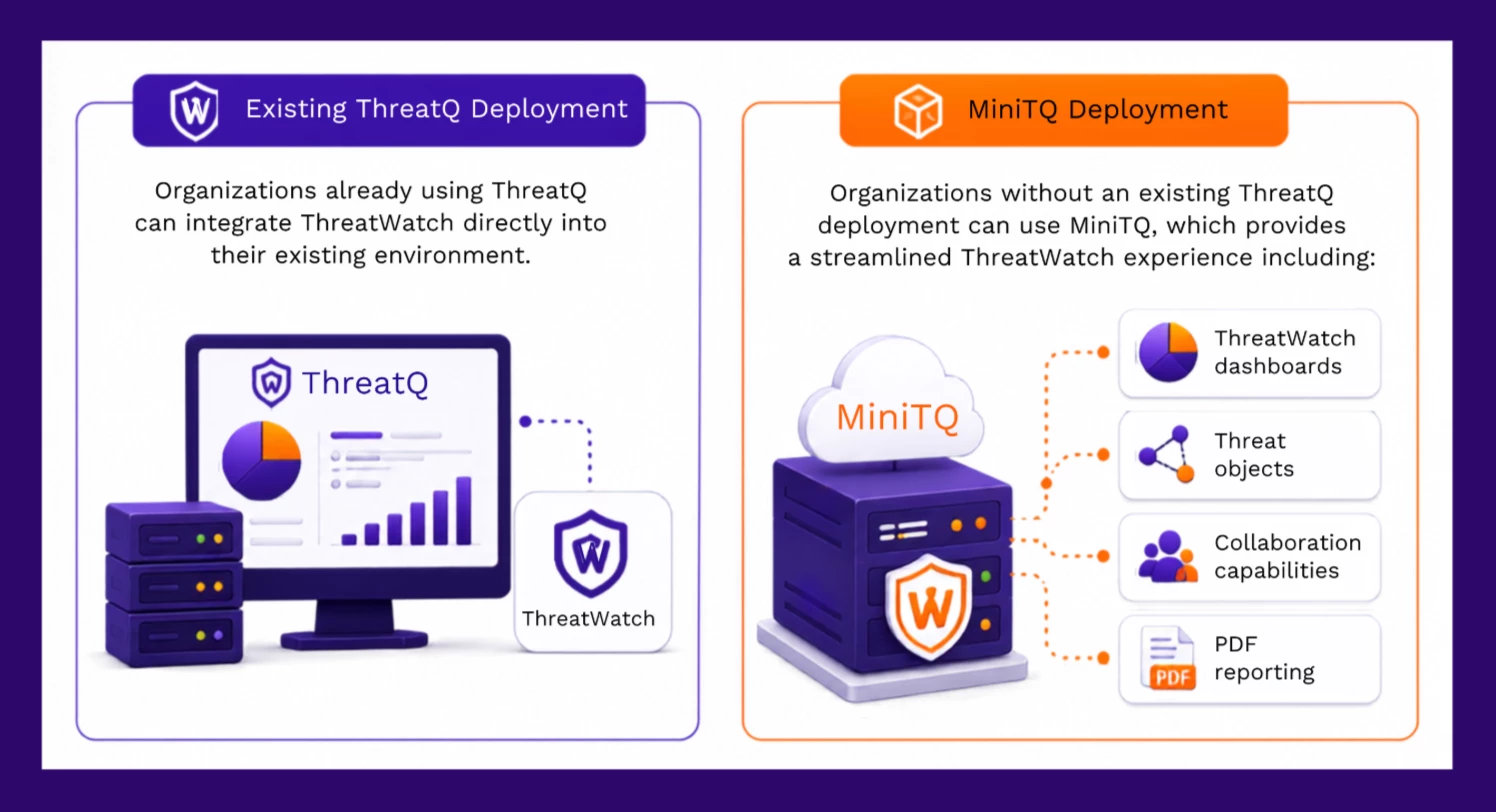
ThreatWatch supports two deployment models:
Streamlined Investigation Workflow
When ThreatWatch validates a finding, analysts can pivot directly into the associated TIP Query (where supported) to continue the investigation.
This eliminates the need to recreate historical searches manually and enables faster incident investigation.
Operational Considerations
Before deploying ThreatWatch, customers should be aware of the following:
- ThreatWatch supports MSSP deployments; however, current ThreatWatch and ThreatQ implementations do not provide multi-tenancy in the manner some partners may expect.
- Customer-provided threat intelligence feeds are not currently incorporated into ThreatWatch.
- ThreatWatch is available as an add-on service and is not included with every deployment.
- Customers can access ThreatWatch through an existing ThreatQ deployment or via MiniTQ.
- Existing ATS customers retain service continuity, with migration options following approved go-to-market guidance.
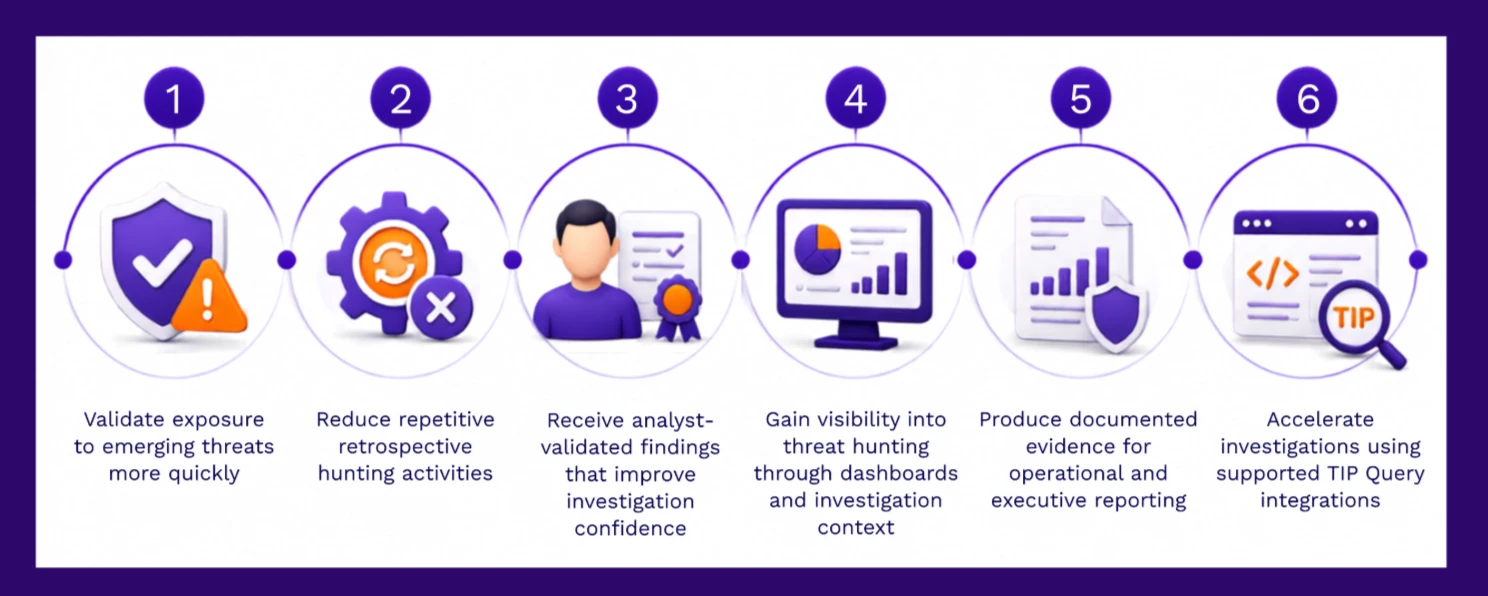
Key Benefits
Ideal Use Cases
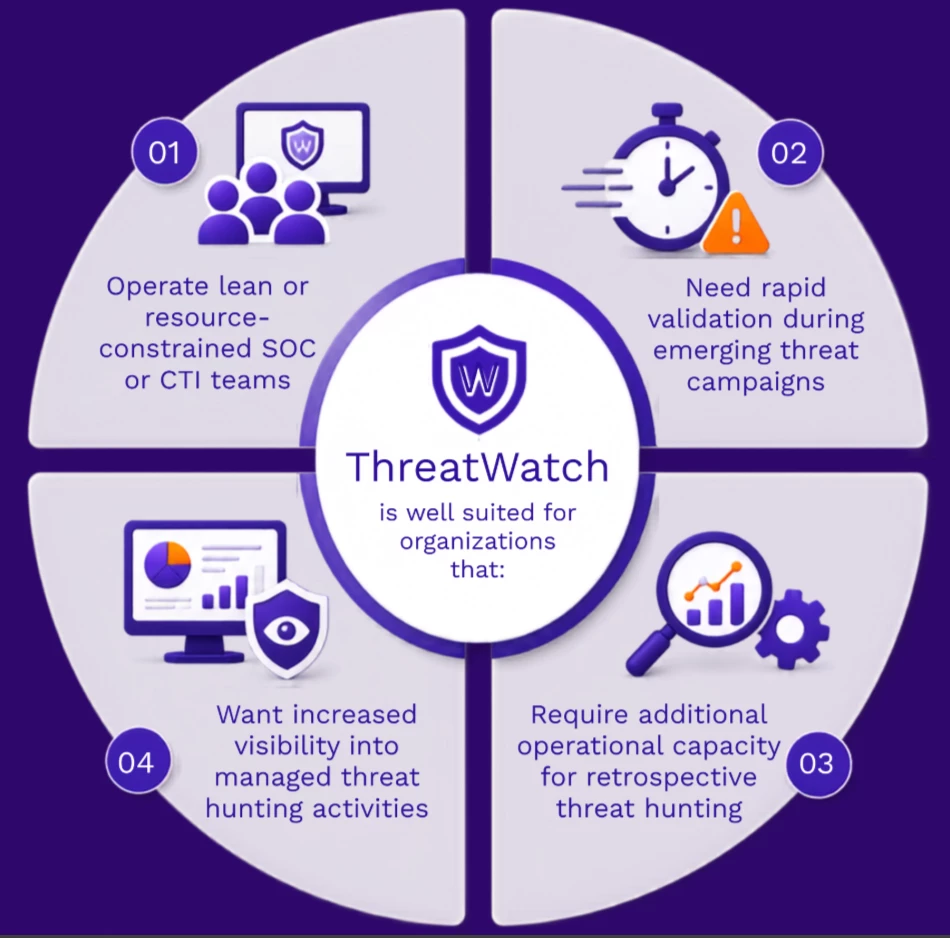
Organizations with mature security operations and dedicated threat intelligence teams can also use ThreatWatch to extend existing workflows with additional operational scale and validated exposure assessments.
Learn More
Continue your ThreatWatch learning journey with these resources on Securonix Connect:
- 🎓 ThreatWatch Fundamentals – Complete the training course to learn how ThreatWatch works : ThreatWatch Fundamentals
- 📘 ThreatWatch Product Documentation – Explore deployment guidance, operational workflows, and best practices.
- 📄 Release Notes – Review the latest ThreatWatch enhancements and updates.
Join the Conversation
Have questions or feedback?
💬 Leave a comment below this article or start a discussion in the Securonix Connect Community to connect with the product team and other users.