Share your knowledge, tips, and best practices. Showcase what you’ve built, learn from others, and inspire the community with your success stories.
Recently active
Hello, We have recently onboarded Cloudflare audit logs and was instructed by a technician that we could also bring in Cloudflare WAF logs on the same data source. It has been enabled on the application, but we are not seeing the WAF logs. Has anyone else ever had this issue? Thank you,
name: PowerShell Script Block and Transcription Logging Suppression Analyticcategory: "Defense Evasion"threatname: "Impair Defenses: Indicator Blocking"functionality: "Endpoint Management Systems"description: | Detects registry modifications that disable PowerShell Script Block Logging or Transcription Logging under the Windows PowerShell policy keys. Deep#Door suppresses these controls to prevent logging of its obfuscated PowerShell execution chain, including embedded payload extraction commands. Disabling these features removes visibility into decoded runtime commands and hinders forensic reconstruction of the staging sequence.reference:labels: - attack.defense_evasion - attack.t1562.006 - Deep#Doorlogsource: category: registry_event product: windowsdetection: selection: EventType: "SetValue" TargetObject|contains: - '\PowerShell\ScriptBlockLogging\EnableScriptBlockLogging' - '\PowerShell\Transcription\EnableTranscripting' description: - "0" -
name: VBScript Backdoor Launcher Dropped to User Startup Folder Analyticcategory: "Persistence"threatname: "Boot or Logon Autostart Execution: Registry Run Keys / Startup Folder"functionality: "Endpoint Management Systems"description: | Detects VBScript files created in the user Startup directory, a persistence mechanism used by Deep#Door to execute the Python backdoor silently at each user logon without requiring elevated privileges. The implant drops SystemServices.vbs into the Startup folder to invoke pythonw.exe against the staged svc.py payload.reference:labels: - attack.persistence - attack.t1547.001 - Deep#Doorlogsource: category: file_event product: windowsdetection: selection: Filename|endswith: - ".vbs" - ".vbe" FilePath|contains: - '\Microsoft\Windows\Start Menu\Programs\Startup' condition: selectioncriticality: Highsaveasthreat: falseviolation_summary: grouping_attribute: "accountname" level2_attribute: level2_metadata_attributes: metada
name: Windows Firewall Connection Logging Disabled via netsh Analyticcategory: "Defense Evasion"threatname: "Impair Defenses: Disable or Modify System Firewall"functionality: "Endpoint Management Systems"description: | Detects netsh commands that disable both dropped-connection and allowed-connection logging across all Windows Firewall profiles. Deep#Door issues these commands during staging to suppress logging of its outbound bore.pub C2 tunneling traffic, preventing network-based detection and impeding forensic reconstruction of attacker communications.reference:labels: - attack.defense_evasion - attack.t1562.004 - Deep#Doorlogsource: category: process_creation product: windowsdetection: selection_netsh: Image|endswith: '\netsh.exe' CommandLine|contains: - 'advfirewall set allprofiles logging' selection_logging_types: CommandLine|contains: - 'droppedconnections' - 'allowedconnections' selection_disable: CommandLine|contains: - 'disable' c
name: Self-Referential Batch Script Payload Extraction Analyticcategory: 'Execution'threatname: 'Command and Scripting Interpreter: Windows Command Shell'functionality: 'Microsoft Windows PowerShell'description: | Detects PowerShell script block activity consistent with the Deep#Door loader's self-extraction mechanism. The malware uses an obfuscated batch script (install_obf.bat) that invokes PowerShell to read its own file contents via %~f0 (self-file reference) and extract an embedded Python backdoor using regex pattern matching between #PYTHON_START and #PYTHON_END delimiters. This staging approach is notable because: - The dropper is fully self-contained and does not require external downloads - %~f0 allows the script to reference and parse its own file contents in place - The payload is recovered using regex extraction rather than a separate archive or encoded blob fetch - The extracted svc.py implant is written directly to %LOCALAPPDATA%\SystemServices
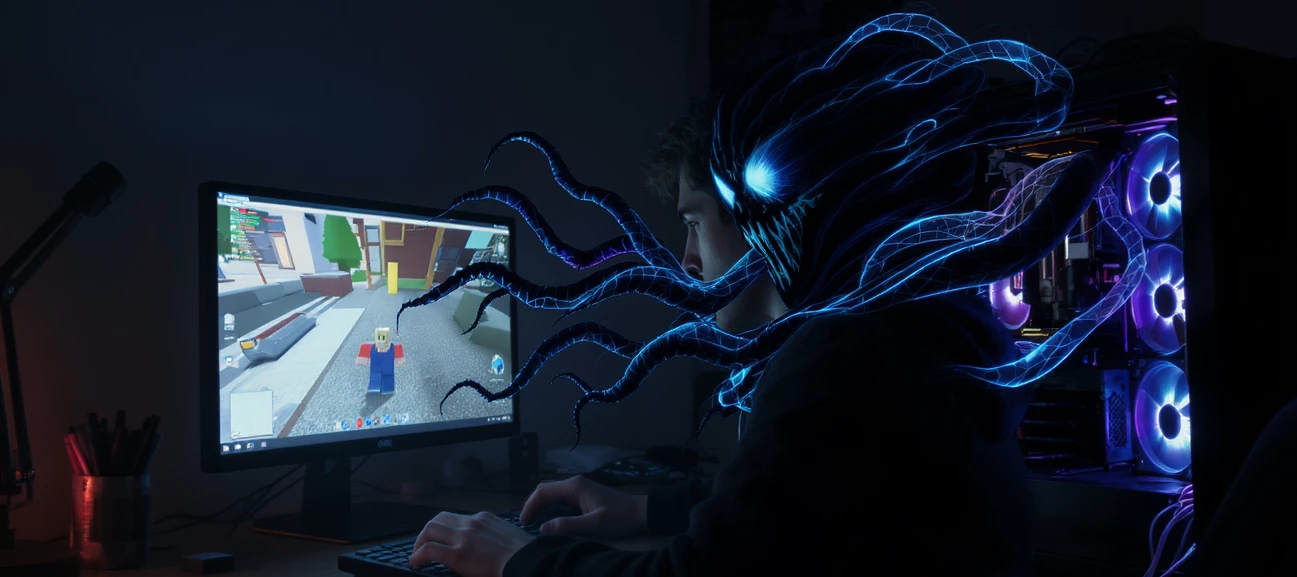
On April 19, 2026, Vercel — the cloud platform behind the widely adopted Next.js web framework and a core piece of infrastructure for thousands of JavaScript developers and Web3 projects — publicly confirmed a security incident involving unauthorized access to certain internal systems. The breach did not originate from a direct attack on Vercel's infrastructure. Instead, it followed a classic supply chain compromise path: a third-party AI tool was breached first, which gave the attacker the foothold needed to pivot into Vercel's environment.As of April 21, 2026, the investigation remains active. Vercel is working with Mandiant, law enforcement and Context.ai to determine the full scope of the intrusion.Timeline of EventsDate Event February 2026 A Context.ai employee is compromised with Lumma Stealer after downloading malicious Roblox "auto-farm" scripts and executors March 2026 Context.ai identifies and blocks unauthorized access to its AWS environment but does not yet identify
name: Axios Supply Chain Node Spawning curl Download of Python Script to tmp Analyticcategory: 'Execution'threatname: 'Command and Scripting Interpreter: Python'functionality: 'Endpoint Management Systems'description: | Detects Node.js or npm processes spawning a shell that uses curl to download a Python script to /tmp and execute it via nohup, consistent with the Linux payload delivery in the axios supply chain compromise. The malicious setup.js dropper from plain-crypto-js@4.2.1 executes a single shell command: curl downloads the Python RAT (/tmp/ld.py) from the C2 (sfrclak[.]com:8000/6202033) and nohup executes it in the background. The Python RAT uses only standard library modules, beacons every 60 seconds, supports arbitrary command execution and binary injection to /tmp/.<hidden>, and reads system data from /proc/ and /sys/class/dmi/id/. Notably, it does NOT establish persistence — a reboot clears it — suggesting the attacker's primary targets on Linux are ephemera
name: Axios Supply Chain Anomalous IE8 User Agent with npm Registry POST Body Mimicry Analyticcategory: 'Command and Control'threatname: 'Application Layer Protocol: Web Protocols'functionality: 'Web Proxy'description: | Detects the C2 beacon pattern used across all three platform variants (macOS, Windows, Linux) of the axios supply chain RAT. All variants share an identical and highly anomalous User-Agent string mimicking Internet Explorer 8 on Windows XP (mozilla/4.0 compatible; msie 8.0; windows nt 5.1; trident/4.0) — a combination effectively extinct in 2026. POST request bodies are designed to blend with npm registry traffic by prefixing packages.npm.org/product0|1|2, however npm.org is not the npm registry; it belongs to the National Pastoral Musicians organization. The C2 endpoint sfrclak[.]com listens on port 8000 (non-standard) and routes platform-specific payloads based on the product suffix. The 60-second beacon interval and Base64-encoded JSON body structure are co
name: Axios Supply Chain Renamed PowerShell Executing from ProgramData Analyticcategory: 'Defense Evasion'threatname: 'Masquerading: Rename System Utilities'functionality: 'Endpoint Management Systems'description: | Detects a Windows Terminal process name (wt.exe) executing from %PROGRAMDATA% with PowerShell-style arguments, consistent with the axios supply chain RAT delivery chain. The malicious VBScript dropper copies powershell.exe to C:\ProgramData\wt.exe before executing the stage-2 RAT. wt.exe is the legitimate filename for Windows Terminal (WindowsTerminal.exe), making this an intentional naming collision to bypass process-name-based EDR heuristics. The renamed binary is invoked with -w hidden and -ep bypass to suppress the window and circumvent execution policy. PowerShell executing from ProgramData is anomalous under any circumstances; PowerShell masquerading as Windows Terminal is a strong indicator of compromise.reference: - https://www.huntress.com/blog/supply-cha
name: Axios Supply Chain - npm Lifecycle Hook Spawning VBScript Dropper Analyticcategory: 'Execution'threatname: 'Command and Scripting Interpreter: Visual Basic'functionality: 'Endpoint Management Systems'description: | Detects npm or Node.js processes spawning cscript.exe or wscript.exe to execute a VBScript file from a temporary directory, consistent with the malicious postinstall lifecycle hook in plain-crypto-js@4.2.1 — the phantom dependency injected into the backdoored axios@1.14.1 and axios@0.30.4 packages. The dropper (setup.js) writes a hidden-window VBScript to %TEMP% that copies powershell.exe to %PROGRAMDATA%\wt.exe and fetches the stage-2 PowerShell RAT from the C2 at sfrclak[.]com:8000. The VBScript self-deletes after execution to reduce forensic artifacts. Any npm install process that spawns a VBScript interpreter against a temp-resident .vbs file should be considered highly suspicious and is not consistent with legitimate package installation behavior.referenc
name: Masqueraded MSBuild Execution from Windows Startup Folder Analyticsignatureid: TELNYX2category: 'Persistence'threatname: 'Boot or Logon Autostart Execution: Startup Folder'functionality: 'Endpoint Management Systems'description: | Detects execution of msbuild.exe from the Windows Startup folder, which is a persistence mechanism used by the TeamPCP Telnyx supply chain malware. The legitimate Microsoft Build Engine (msbuild.exe) resides in C:\Windows\Microsoft.NET\ and is never present in user Startup directories. The TeamPCP malware extracts a PE binary from WAV audio steganography (hangup.wav) and writes it to %APPDATA%\Microsoft\Windows\Start Menu\Programs\Startup\msbuild.exe to achieve persistence across reboots. The dropped binary is a MinGW-compiled x86_64 PE that performs process hollowing into dllhost.exe. This rule also detects the companion lock file (msbuild.exe.lock) which the malware creates with the hidden attribute to implement a 12-hour re-download cooldown.
name: TeamPCP Archived Credential Exfiltration via HTTP POST Analyticsignatureid: PXY-TELNYX1category: 'Exfiltration'threatname: 'Exfiltration Over C2 Channel'functionality: 'Web Proxy'description: |Detects HTTP POST requests containing the X-Filename header value "tpcp.tar.gz", which is the consistent exfiltration signature used by TeamPCP across both the LiteLLM and Telnyx supply chain compromises. After harvesting credentials (SSH keys, cloud credentials, .env files, shell histories, cryptocurrency wallets, and Kubernetes tokens), the malware encrypts the collected data with AES-256-CBC, wraps the session key with RSA-4096, bundles both into a gzipped tarball named tpcp.tar.gz, and exfiltrates via HTTP POST with Content-Type: application/octet-stream and header X-Filename: tpcp.tar.gz. Independent validation on March 30, 2026 confirmed the exfiltration endpoint at 83.142.209.203:8080 remains active and accepting POST data even though payload delivery (GET) endpoints have been disabl
Campaign: TeamPCP — Telnyx PyPI Supply Chain CompromiseSamples: hangup.wav (Windows steganographic carrier), linux_payload.py (decoded _p credential harvester)What Happened...On March 27, 2026, the threat actor group TeamPCP published two trojanized versions (4.87.1 and 4.87.2) of the official Telnyx Python SDK to PyPI. This was the latest link in a credential-chaining supply chain campaign that began on March 19 with the compromise of Aqua Security's Trivy, subsequently spreading to Checkmarx GitHub Actions, LiteLLM, and now Telnyx. The campaign's defining innovation is the use of WAV audio steganography to deliver second-stage payloads, concealing executable binaries inside valid audio containers to evade network inspection and endpoint detection.This breakdown provides a deep technical analysis of both platform-specific attack paths in the Telnyx compromise. For Windows, we dissect hangup.wav, the steganographic carrier downloaded from the TeamPCP command-and-control infrastructure,
I have a ton of open and closed sources feeding reports, vulnerabilities & CVE indicators into ThreatQ. Because “reports”, “vulnerabilities”, and “indicators” are all different threat libraries inside of ThreatQ, I’ve struggled to find a way to display the amalgamated vulnerability intelligence in one consolidated view that the vulnerability management team can use to track what matters.I have mocked up the utopian version of what I want to display. How do I create this for real in ThreatQ? All of the data currently exists in ThreatQ, but it’s spread across the three different threat libraries, and none of it exists in all 3 simultaneously. This seems potentially possible using workflows where you would parse out the CVEs from each report, then append the attributes from the indicator and vulnerability threat libraries into the report. But I don’t know if that’s possible or how I would achieve this.
Here’s what happened...While browsing a legitimate Formula 1 news site, a programmatic ad creative hijacks your browser session and redirects to a sophisticated social engineering operation impersonating McAfee. The attack chain traversed multiple supply-side platforms (SSPs), a demand-side platform (DSP), and Cloudflare infrastructure before landing on a multi-step scam funnel that used fake virus scans, fabricated threat alerts, an alarm sound, a fake "AI assistant" chat, and an urgency countdown timer — all to drive the victim into purchasing a real McAfee antivirus subscription through a fraudulent affiliate link.This post documents the complete kill chain from initial ad impression to final monetization endpoint, including extracted IOCs, infrastructure analysis, and the social engineering techniques employed.The Initial RedirectThe attack began on racingnews365.com, a well-known F1 racing news site. While browsing on a mobile device, Azerion's ad loader served a programmatic disp
On March 11, 2026, the Iran-linked hacktivist group Handala (a.k.a. Handala Hack Team / Void Manticore) executed a destructive wiper attack against Stryker Corporation, wiping devices and servers across the $25 billion medical technology company's global enterprise and idling approximately 56,000 employees in 61+ countries. This is the first confirmed major cyber disruption of a U.S. corporation since joint U.S.-Israeli military strikes on Iran commenced on February 28, 2026 (Operations "Epic Fury" and "Roaring Lion"). The attackers compromised administrator accounts and weaponized Microsoft Intune, Stryker's cloud-based mobile device management (MDM) platform, to issue remote wipe commands to all connected devices — a "living off the land" technique that turned Stryker's own IT management infrastructure against itself. The attack is assessed as retaliatory, timed 11 days after kinetic strikes began, and targeted Stryker specifically for its 2019 acquisition of Israeli company OrthoSp
Does Securonix support Just-in-Time (JIT) for user provisioning.For example Securonix auto-provision users based on SAML attributes.
Our documentation site page detailing our platform release notes highlights that in the November R1 2025 release of our application, a bug was fixed which is currently causing some confusion. Prior to this application release there was an option present in the application Menu > Administration > Access Control > which allowed for the creation, modifying and deletion of Service API accounts. The same account controls were present for our Securonix internal service accounts. The use case details for of each of our UDS service accounts are provided on our documentation site. The application relies on these accounts for many internal processes and without the accounts many core functions do not work.For example, without these two ResponseServiceUser accounts - incident generation will not work correctly. In an effort to follow their company’s cyber security policies by limiting access some customers removed some of these accounts and effectively halted SOC operations. Currently t
Securonix Threat Research Security Advisory“VOID#GEIST: Stealthy Multi-Stage Python Loader with Embedded Runtime Deployment, Startup Persistence, and Fileless Early Bird APC Injection into explorer.exe”By Securonix Threat Research: Akshay Gaikwad, Shikha Sangwan, Aaron Beardslee Feb 17, 2026tldr:Securonix Threat Research analyzed a stealthy, multi-stage malware intrusion chain utilizing an obfuscated batch script (non.bat) to deliver multiple encrypted RAT shellcode payloads corresponding to XWorm, XenoRAT, and AsyncRAT. The script establishes persistence by deploying a secondary batch script (spol.bat) into the Windows Startup folder, stages a legitimate embedded Python runtime from python.org, and decrypts encrypted shellcode blobs (new.bin, pul.bin, xn.bin) at runtime using external XOR key material (a.json, p.json, n.json).The decrypted payloads are not written to disk as executables. Instead, they are injected directly into separate instances of explorer.exe using Early Bird APC i
Service Principal Names (SPNs) associated with user accounts are prime targets for Kerberoasting attacks. Canary SPNs detect when attackers request service tickets for offline cracking.NOTE: When creating any kind of Cyber Deception in your organization be creative with your strategy! Create Canaries that make sense for your network and existing assets so they are believable by adversaries. The examples below are to show you the basic structure for creating a Canary SPN - create your own names that make sense for your specific deception. One last pro-tip, log into your canary accounts and/or SPN accounts every so often so they have a somewhat current ‘last logon’ timestamp. Understanding the AttackAttacker enumerates user accounts with SPNs Requests TGS tickets for those SPNs Extracts tickets and cracks them offline Canary SPNs have no real service—any ticket request is malicious What is a Service Principal Name (SPN)? DefinitionA Service Principal Name (SPN) is a unique identifier t
Securonix Threat Labs 2025 Annual Autonomous Threat Sweeper Intelligence InsightsAuthors: Dheeraj Kumar and Sina Chehreghani Executive Summary:The 2025 Annual Cyber Threat Intelligence Report captures the year’s most impactful attack patterns across exploitation-led intrusion, advanced malware (including AI-assisted techniques), and the ongoing evolution of ransomware/RaaS economics. Across multiple campaigns, threat actors prioritized speed-to-impact through weaponized vulnerabilities (notably ToolShell SharePoint exploitation and React2Shell / CVE-2025-55182), while simultaneously improving stealth using in-memory execution, cloud-native abuse, living-off-the-land tooling, and increasingly AI-enabled obfuscation.The year also reinforced that defenders must track threats as repeatable behaviors, not only as malware names: webshell placement, privilege escalation, rapid lateral movement, exfiltration via common tools (e.g., rclone), defense evasion (shadow copy deletion / log clearing)
Clawdbot, Moltbot, and OpenClaw are not three separate malware families — they are the same open-source AI personal assistant, renamed twice within four days. Created by Austrian developer Peter Steinberger and launched in November 2025, the project went viral in late January 2026, accumulating over 145,000 GitHub stars by early February and continuing to grow rapidly. The tool's architectural design — full OS-level shell access, plaintext credential storage, persistent memory, and an unvetted plugin ecosystem — created a significant threat surface that was exploited by multiple independent attack campaigns within days of going viral. Project Overview and Viral AdoptionOpenClaw is a self-hosted autonomous AI agent that runs locally with the same permissions as the logged-in user. According to Sentra's analysis, the project reached over 300,000 users within two months of its November 2025 launch. The agent executes shell commands, reads and writes files, controls browsers, and integrate
Currently, the RF IOC enrichment action provides only a limited set of attributes, such as risk score and malware verdict. Malware attribution, however, is not included in the enrichment results.Since we are paying for an RF license, we would like to leverage this connector more effectively to build richer threat context, including malware attribution and related intelligence.As this is being raised as a feature request in ThreatQ, I wanted to check with the community: are there any alternative solutions or workarounds that others are using to enrich IOCs with malware attribution and deeper threat context?
Canary Shares Canary shares are decoy network file shares strategically deployed across an enterprise environment to detect unauthorized network reconnaissance and lateral movement. These honeypot shares are configured with enticing names like "Finance," "Backups," "HR_Documents," or "IT_Admin" and populated with bait files (credentials.xlsx, passwords.txt, database_backup.sql) that appear valuable to attackers but serve no legitimate business function. When adversaries gain initial access to a network, one of their first actions is typically share enumeration to identify accessible resources containing sensitive data, credentials, or pathways to high-value targets. Attackers commonly use built-in Windows commands like net view, net share, and dir \\server\share, as well as offensive tools such as PowerView (Invoke-ShareFinder, Find-InterestingFile), SharpShares, NetExec (netexec smb --shares), SMBMap, Impacket's smbclient.py, Snaffler (for automated credential hunting in shares), and
Canary Files Canary files are decoy documents placed in strategic locations to detect unauthorized file access, data exfiltration attempts, or ransomware activity. Besides creating these files manually in your network, Blue Teams can use free online tools like Thinkst Canary Tokens to even get an email when the token is opened or used - with the offenders IP address! How cool is that!? We’ll go over more techniques in the rest of this series. For now, here’s the strategy and some ideas for building your Canary Files manually: File Naming StrategyCreate files with names that attract attackers:passwords.xlsxcredentials.txtemployee_ssn.csvfinancial_records_2024.xlsxadmin_passwords.docxnetwork_diagram.pdfvpn_credentials.txtbitcoin_wallet.txtcustomer_database_backup.sqlhr_salaries_confidential.xlsx File Placement Locations Location Purpose C:\Users\Administrator\Desktop\ Attracts attackers with admin access C:\Users\Public\Documents\ Visible to all users \\server\share\IT\ Networ
Already have an account? Login
Enter your E-mail address. We'll send you an e-mail with instructions to reset your password.